Tag: Paid Ads

  • How to Build a Conversion Optimization Strategy That Actually Works

    How to Build a Conversion Optimization Strategy That Actually Works

    Conversion Optimization Best Practices That Actually Move the Needle in 2026

    Applying conversion optimization best practices is the fastest way to grow revenue without spending more on ads. Here are the core practices that work in 2026:

    1. Simplify checkout – Remove forced account creation and reduce form fields
    2. Optimize for mobile – 60%+ of traffic is mobile, but mobile converts at half the rate of desktop
    3. Use trust signals – Reviews, secure badges, and transparent shipping reduce hesitation
    4. Run A/B tests continuously – Data beats guesswork, every time
    5. Speed up your pages – Every second of delay costs you conversions
    6. Personalize the experience – Personalized experiments drive 41% more impact
    7. Write CTAs that click – First-person copy (e.g., “Get My Free Report”) outperforms generic alternatives
    8. Fix your navigation – Clutter kills conversions

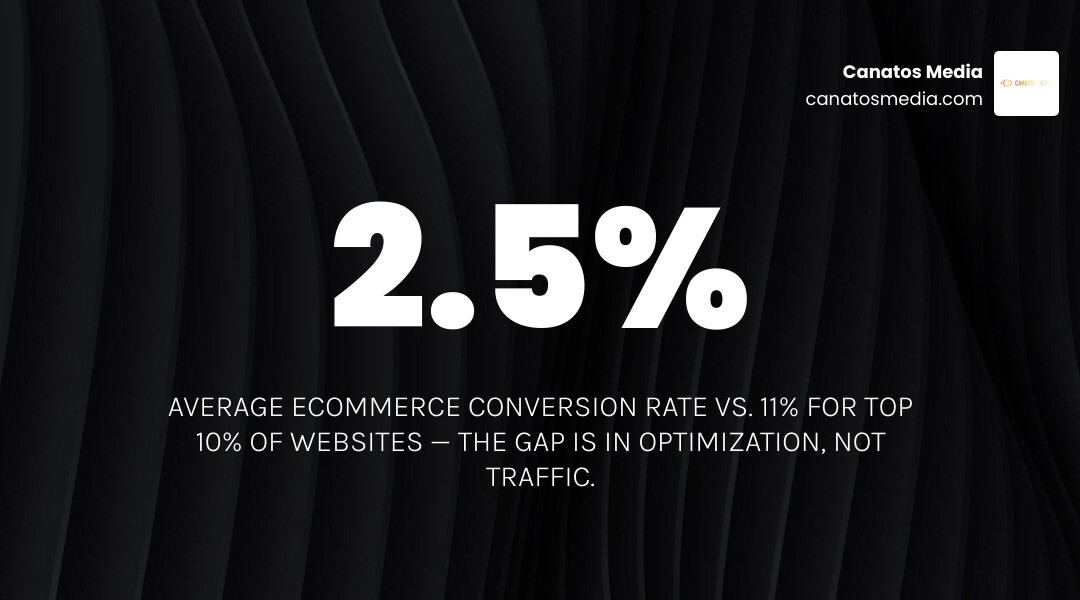
    Most businesses are leaving money on the table. The average ecommerce site converts just 2.5% of visitors. The top 10% of websites convert at over 11%. That gap isn’t about traffic volume — it’s about what happens after someone lands on your page.

    Paid ads cost more every year. Organic reach is harder to earn. Yet most businesses keep pouring budget into acquisition while ignoring the leaks in their conversion funnel. That’s the problem this guide is here to fix.

    I’m Nic Canobbio, and through my work at Canatos Media producing content that has reached over 60 million views and building data-driven media strategies across industries, I’ve seen how applying conversion optimization best practices separates businesses that scale from those that stall. In this guide, I’ll walk you through exactly what works — no guesswork, no fluff.
    CRO process framework showing key steps from traffic to conversion in 2026 infographic

    What is CRO and Why It Matters in 2026

    Conversion Rate Optimization (CRO) is the systematic process of increasing the percentage of website visitors who take a desired action—whether that’s purchasing a product, filling out a lead form, or booking an appointment. In 2026, CRO is no longer an optional “growth hack.” It is a fundamental pillar of business survival.

    The digital landscape has shifted dramatically. Customer acquisition costs (CAC) on major search and social channels have reached record highs. At the same time, privacy regulations and the deprecation of third-party cookies mean you can no longer rely solely on ad platforms to target your perfect buyer. Your website must do the heavy lifting. By optimizing your existing traffic, you reduce your reliance on expensive ad networks and build a highly profitable, self-sustaining sales engine.

    The Shift in Modern Conversion Optimization Best Practices

    In 2026, the playbook has evolved. We are seeing massive mobile commerce growth, but with it comes mobile commerce friction. Consumers expect instant, frictionless, and highly personalized web experiences. If your site feels like a relic from 2018, visitors will leave in seconds.

    Modern conversion optimization best practices require a shift from static, one-size-fits-all websites to adaptive digital experiences. Relying on gut feelings or copying a competitor’s layout without data is a recipe for failure. To stay ahead, businesses must adopt structured frameworks and rely on proven, data-backed methodologies to systematically improve their user experience.

    How to Calculate and Benchmark Your Conversion Rate

    Before you can improve your conversion rate, you need to know where you stand. The basic conversion rate formula is simple:

    $$\text{Conversion Rate (CVR)} = \left( \frac{\text{Total Conversions}}{\text{Total Sessions}} \right) \times 100$$

    We typically use sessions (or visits) rather than unique users to calculate this. Shoppers often visit a site multiple times before making a final decision, making sessions a more accurate reflection of ongoing intent.

    So, what is a “good” conversion rate? It depends heavily on your industry:

    • Average Ecommerce CVR: Roughly 2.5% across all sectors.
    • Beauty and Skincare: Near the top of the spectrum at approximately 3.3%.
    • Home Furniture: Rounding out the bottom at 0.6% (due to high price points and longer decision cycles).

    Comparing your brand to universal benchmarks can be misleading. A high-ticket B2B company or a subscription-based model naturally has lower conversion rates than a low-cost impulse-buy brand. The goal is to establish your own baseline and focus on driving incremental, data-backed improvements.

    Core Pillars of Website UX and Mobile Optimization

    User experience (UX) is the foundation of conversion. If your site is difficult to navigate, slow to load, or confusing on a smartphone, no amount of persuasive copywriting will save your sales.

    Streamlining Navigation and Reducing Friction

    When users land on your website, they should know exactly what to do next. Cluttered menus, vague navigation labels, and intrusive pop-ups create cognitive friction.

    To streamline your user journey:

    • Simplify navigation labels: Use clear, descriptive terms (e.g., “Shop All,” “Services,” “Book Consultation”) instead of creative jargon.
    • Embrace white space: Give your elements room to breathe. A clean design naturally guides the user’s eye to your primary call-to-action (CTA).
    • Implement search autocomplete: For ecommerce sites, helping users find products instantly via smart search autocomplete is a massive conversion driver.
    • Prioritize accessibility compliance: Shockingly, 94% of the largest e-commerce sites are not accessibility compliant. Failing basic standards in links, images, and form fields alienates a massive portion of your audience.

    If you are a local service brand in the Tri-State area or Long Island, check out our guide on Optimizing Local Landing Pages for High-Conversion Lead Capture in 2026 to see how streamlined layouts drive local leads.

    Mobile Commerce and Checkout Optimization

    Mobile devices account for over 60% of global web traffic, yet mobile conversion rates average just 2.1% compared to 4.3% on desktop. This gap is caused entirely by mobile commerce friction.

    To capture those mobile conversions, your checkout flow must be flawless.

    • Make guest checkout prominent: 47% of sites don’t make guest checkout the most prominent option. Forcing users to create an account before buying is a major conversion killer—37% of shoppers abandon checkouts for this exact reason.
    • Reduce form fields: Cut your form fields to the absolute minimum. Moving from 11 fields to 4 can increase conversions by 120%. 18% of users abandon purchases due to checkout complexity.
    • Ditch case-sensitive CAPTCHAs: CAPTCHAs have an 8% failure rate, which skyrockets to 29% if they are case-sensitive. Use invisible spam protection instead.
    • Use accordion checkouts: Collapse completed steps into summaries rather than just headers. This keeps the user oriented without overwhelming them with a massive multi-column form.

    For businesses running paid traffic, aligning your mobile layouts with your ads is critical. Learn more in our article on Syncing Local Landing Pages with Short-Form Video Ads for Maximum Conversions.

    Designing High-Impact Trust Signals, Personalization, and CTAs

    Once your site usability is solid, you must address the psychological side of conversion: trust and relevance.

    Implementing Personalization and Clear CTAs

    Static websites are a thing of the past. In 2026, delivering adaptive web experiences via real-time 1:1 personalization is a massive competitive advantage. Personalized experiments drive 41% more impact compared to generic campaigns. This can mean dynamically displaying product recommendations based on past browsing history or adjusting landing page headlines to match the exact ad copy a visitor clicked.

    Your Call-to-Action (CTA) buttons must also be highly optimized:

    • Visual contrast: Your CTA button color should pop against your website’s background. Use high-contrast, brand-aligned colors.
    • Strategic placement: Place your primary CTA above the fold and repeat it logically as the user scrolls.
    • First-person copy: Phrasing your buttons in the first person (e.g., “Get My Free Strategy Session” instead of “Submit”) can increase clicks by up to 90%).

    We dive deep into how we align high-impact visual assets and website design in our guide on How We Integrate Website Design and Video to Drive Sales.

    Leveraging Trust Signals to Overcome Friction

    Trust is the ultimate currency online. When visitors hesitate at the point of purchase, they are asking themselves: Is this business legitimate? Will my data be safe? Will I actually like this product?

    To overcome this friction, embed high-impact trust signals directly into your design:

    • Strategic social proof: Place customer ratings, reviews, and testimonials near your CTAs. Over 98% of consumers consider reviews an essential resource when making purchase decisions.
    • Secure checkout badges: Displaying trusted payment badges (such as secure SSL indicators or recognized payment processors) can boost conversions.
    • Transparent shipping and returns: Unexpected shipping fees are absolute kryptonite to conversions. Display shipping costs and clear return policies early in the user journey.

    For more on structured trust integration, check out Baymard Institute’s research on cart abandonment and trust.

    The Power of Experimentation and A/B Testing

    You should never guess what will improve your conversion rate. You must test it.

    Validating Ideas with Conversion Optimization Best Practices

    A/B testing (or split testing) is the process of comparing two versions of a webpage to see which one performs better. To run successful tests, you need a structured framework:

    1. Gather Quantitative and Qualitative Data: Use analytics to find where users drop off, and heatmaps to see how they behave.
    2. Formulate a Strong Hypothesis: A good hypothesis follows a clear structure: “If we change [Element] to [Variation], we will see an increase in [Metric] because of [User Behavior Insight].”
    3. Prioritize Using the EPIC Framework: Rate your test ideas on a scale of 1-5 based on Experiment value (what you will learn), Priority, Impact, and Cost.
    4. Determine Sample Size and Duration: Run tests for at least 14 days to account for weekly traffic cycles, and ensure you have at least 200 conversions per variant to achieve 95% statistical significance.

    The Value of Inconclusive and Failed Tests

    Many marketers view an inconclusive or failed A/B test as a waste of time. This is a massive mistake.

    Inconclusive tests (where neither variant wins) are highly valuable. They mitigate risk by preventing you from rolling out expensive site changes that customers don’t actually care about. They also provide valuable insights into user behavior, helping you refine your future hypotheses. As the saying goes: One test is a guess; a hundred tests is a systematic competitive advantage.

    For additional frameworks on validating your CRO ideas, read the insights in Hotjar’s guide to conversion rate optimization.

    Implementing Conversion Optimization Best Practices Through Technical CRO

    Technical performance is the unsung hero of conversion optimization. If your site is technically flawed, your marketing efforts are dead on arrival.

    Diagnosing Bottlenecks with Heatmaps and Form Analytics

    Quantitative data (like Google Analytics) tells you where users are leaving your site. Qualitative tools (like heatmaps, session recordings, and form analytics) tell you why.

    • Heatmaps: Visual representations of where users click, scroll, and move their cursors. If users are repeatedly clicking on non-clickable elements, or ignoring your primary CTA because it’s too low on the page, heatmaps will reveal it.
    • Form analytics: These tools track form fields individually to show you where users hesitate or abandon your forms. If 40% of your visitors abandon your form when asked for their phone number, you know exactly what field to remove.

    Technical Performance and Speed Optimization

    Site speed is a massive conversion multiplier. 39% of shoppers expect pages to load in 2 to 3 seconds at most.

    Every second of delay has a compounding negative impact:

    • A one-second delay in page load time can reduce conversions by 7%.
    • Every second of load delay increases bounce probability by 32%.

    To optimize your site speed:

    • Compress images: Convert all images to WebP format.
    • Minify code: Reduce bloated CSS, HTML, and JavaScript files.
    • Enable browser caching: Allow returning visitors to load your site instantly.

    Common CRO Mistakes to Avoid

    To build a high-converting website, you must actively avoid these common pitfalls:

    High-Converting Pages Low-Converting Pages
    Decisions based on quantitative and qualitative data Decisions based on gut feelings or executive opinions
    Single, highly focused CTA with zero distractions Multiple competing CTAs and cluttered navigation
    Fast load speeds (under 2 seconds) Slow, uncompressed images and heavy scripts
    Continuous, structured A/B testing program One-and-done redesigns without post-launch testing
    Highly optimized mobile-first checkout flows Forced account creation and complex multi-step forms

    One of the worst mistakes you can make is copying your competitors blindly. Just because a competitor has a specific layout doesn’t mean it’s converting well for them—they might be losing money on that design, too!

    Frequently Asked Questions About Conversion Optimization

    What is a good conversion rate for an ecommerce website in 2026?

    A good conversion rate is generally between 2% and 5% for most ecommerce sectors, though the top 10% of brands achieve rates above 11%. However, “good” is relative. Your conversion rate is highly dependent on your traffic sources, price points, and business model.

    How long should an A/B test run to achieve statistical significance?

    An A/B test should run for a minimum of 14 days to account for weekly traffic cycles (as user behavior on a Monday often differs from a Saturday). You should also aim for at least 200 conversions per variant and a 95% statistical confidence level before calling a winner.

    Why do 70% of online shoppers abandon their carts?

    The primary reasons for checkout abandonment are unexpected costs (such as shipping fees or taxes), checkout complexity (such as too many form fields), forced account creation, and slow delivery times. Removing these friction points is the easiest way to recover lost sales.

    Conclusion

    Building a conversion optimization strategy that actually works requires shifting from guesswork to a continuous, data-driven culture of experimentation. By prioritizing mobile UX, streamlining checkout flows, leveraging trust signals, and testing your hypotheses, you can turn your website into a highly efficient conversion engine.

    At Canatos Media, we build integrated marketing strategies for businesses in the Tri-State area and Long Island. We connect cinematic short-form video production, targeted paid ads (Meta and Google), SEO, and high-performance website support to ensure that every click we drive has the highest possible chance of converting into a customer.

    Ready to stop wasting ad spend and start squeezing more revenue out of your existing traffic? Let’s build an integrated system that converts.
    Transform views into qualified leads with Canatos Media

  • Bring Them Back: The Ultimate Salon Abandoned Cart Recovery Playbook

    Bring Them Back: The Ultimate Salon Abandoned Cart Recovery Playbook

    Why Salon Website Abandoned Cart Recovery Is Costing You More Than You Think

    Salon website abandoned cart recovery is the process of automatically reaching out to clients who started booking an appointment online but left before confirming — and it’s one of the fastest ways to reclaim lost revenue without spending more on ads.

    Quick answer — the best salon abandoned cart recovery tools in 2026:

    Tool Best For Key Feature
    Zenoti Multi-location salons AI-triggered reminders, 2-hour send window
    Tilavon Independent salons Visual workflow builder, A/B testing
    Bella Booking Solo operators GDPR-safe capture, one-tap recovery
    GoHighLevel Full automation CRM + SMS + email in one platform
    DINGG AI (Echo) Dormant client win-back Multi-touch personalized sequences

    Here’s the reality: over 70% of online shopping carts are abandoned before checkout. In the beauty and personal care space, that number climbs above 83%. For salons, every one of those drop-offs is a real client — one who already picked a service, chose a time, and got close to confirming — walking away without booking.

    And most salon software never even records that it happened.

    That’s a significant revenue leak. The good news? It’s one of the most fixable ones.

    I’m Nic Canobbio, founder of Canatos Media, and my background in building automated content and data-driven marketing systems — from national podcasts to sports betting platforms — gives me a unique lens on how salon website abandoned cart recovery can be turned into a reliable, automated revenue engine. In this guide, I’ll break down exactly how to set that up.

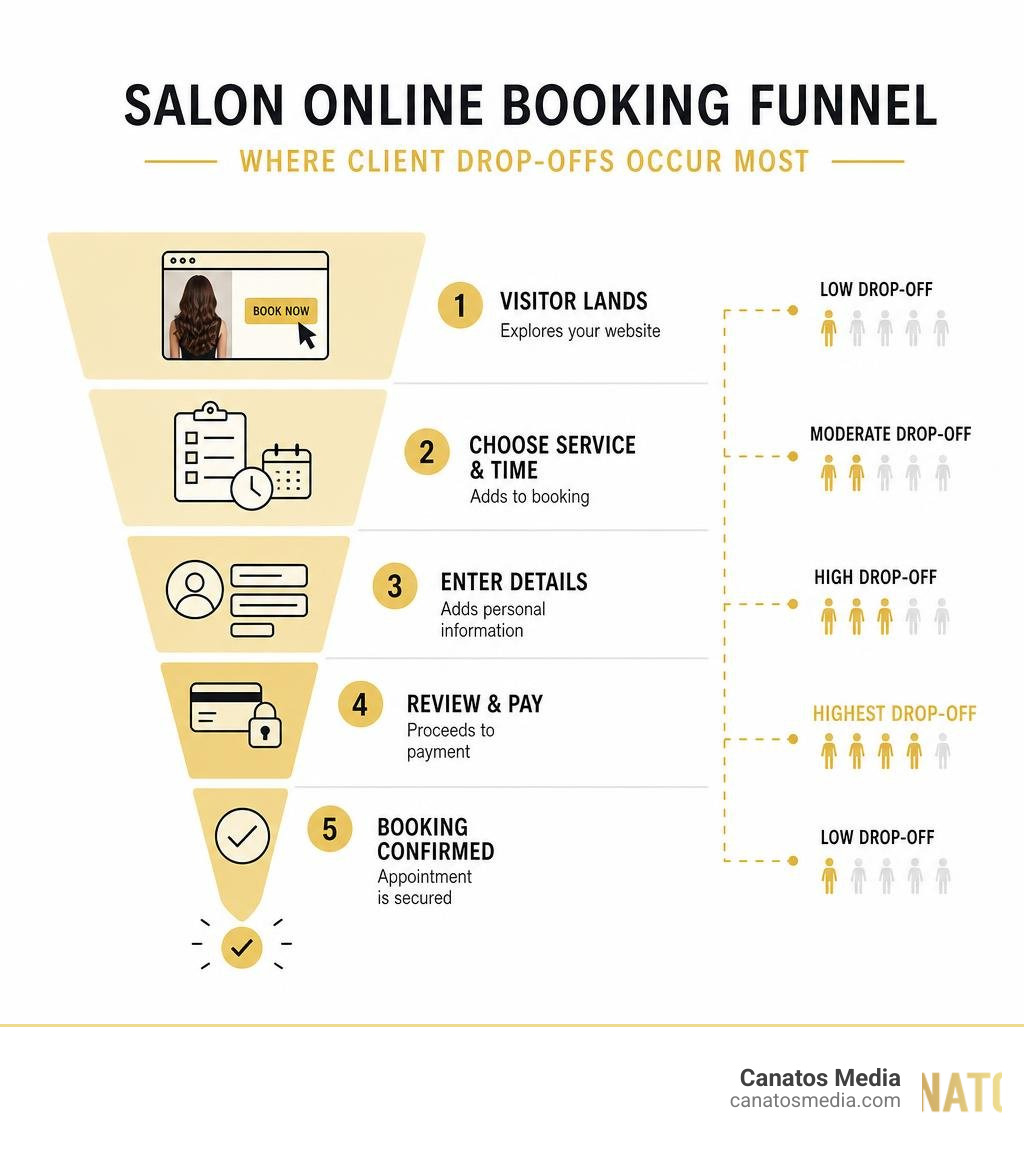
    Infographic showing the salon online booking funnel and where client drop-offs occur most infographic

    Implementing Salon Website Abandoned Cart Recovery: Why It Matters

    When we think about growing a salon in the tri-state area or right here on Long Island, our minds usually jump straight to getting new eyes on our brand. We think about social media, paid ads, or investing in Why Your Store Needs Ecommerce Website SEO to Survive to bring in fresh traffic. But what happens when that traffic actually arrives, clicks “Book Now,” and then… disappears?

    If you don’t have an automated recovery system in place, you are essentially pouring water into a leaky bucket.

    Implementing a robust recovery system is about plugging those leaks. It directly impacts your bottom line by converting high-intent users who are already on the verge of booking. Instead of spending five times more money to acquire a brand-new client via cold ads, you are simply nudging someone who already knows your name, likes your work, and wanted to visit your chair.

    Understanding the Mid-Funnel Booking Drop-Off

    In the digital marketing world, we talk a lot about “funnels.” For a beauty business, the mid-funnel is where the magic—and the tragedy—happens. A user lands on your site, looks at your gorgeous gallery, and decides they want to book a balayage or a fresh set of lash extensions. They click your booking link, select their stylist, and choose a time slot.

    Then, right at the finish line—the “Review” or “Confirm” step—they close the tab.

    This mid-funnel drop-off happens to 20% to 40% of visitors who make it to the final step of booking. These aren’t casual browsers; they are high-intent shoppers. They didn’t leave because they hate your salon; they got distracted. Maybe their coffee boiled over, their boss walked by, or they realized their credit card was in the other room.

    Without tools like Zenoti’s Abandoned Cart Recovery, these near-bookings vanish without a trace. You have no record of their intent, no way to follow up, and that prime Friday afternoon appointment slot remains empty.

    How Salon Website Abandoned Cart Recovery Differs from Traditional E-Commerce

    While traditional retail e-commerce focuses on physical inventory, salon booking recovery is entirely about time. If a shopper abandons a pair of shoes in an online shopping cart, those shoes sit in a warehouse. The retailer can email them three days later, and the shoes are still there.

    For service-based businesses, your inventory is your calendar. Time is a highly perishable commodity. If a client abandons a booking for a Saturday at 10:00 AM and you don’t recover them quickly, that time slot passes, and that potential revenue is gone forever.

    Furthermore, many modern beauty businesses run a hybrid model. You aren’t just booking hair, nail, or spa appointments; you are also selling professional retail products online. Platforms like SalonInteractive’s Online Platform allow beauty pros to run online stores and earn a 25% commission on product sales without stocking physical inventory.

    This means your recovery strategy must be dual-faceted:

    1. Service Booking Recovery: Fast, time-sensitive, and highly personalized around stylist availability and calendar slots.
    2. Product Cart Recovery: Focused on product benefits, reviews, and standard e-commerce incentives like free shipping or small discounts.

    Why Clients Abandon Salon Bookings (And How to Stop It)

    Understanding why clients walk away is the first step to building a system that brings them back. To analyze this, we have to look closely at our digital user experience.

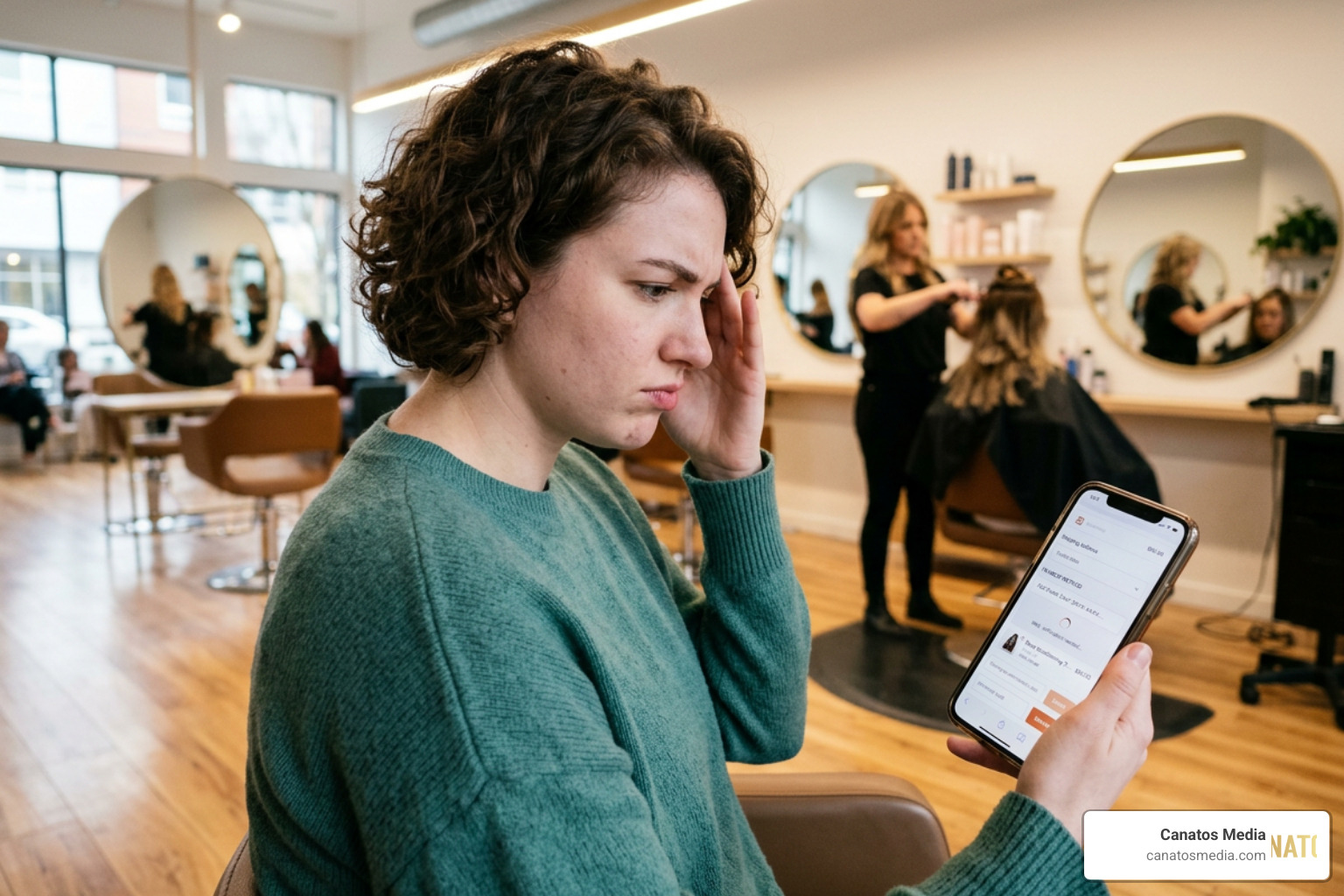
    Frustrated salon client looking at a complex online checkout screen on their phone

    When we audit websites for local businesses, we often find that simple technical glitches or poor design choices are driving clients straight into the arms of nearby competitors. This is why having a clean, optimized site backed by solid SEO Search Engine Optimization is so critical. If your site is slow or confusing, users will bounce before they even see your booking form.

    Common Friction Points in the Checkout Process

    There are several major roadblocks that cause clients to abandon their carts or booking screens:

    • Forced Account Creation: A quarter of all online shoppers will abandon their cart immediately if they are forced to create a username and password just to complete a basic transaction.
    • Hidden Fees and Pricing Surprises: If a client thinks a service is $150, but at the final review step they see mandatory booking fees, environmental fees, or unexpected taxes that aren’t clearly explained, they will back out.
    • Poor Mobile Optimization: With up to 84% of shopping carts abandoned on mobile devices (compared to 72% on desktop computers), a clunky mobile booking interface is a death sentence for your conversion rates.
    • Complex Navigation: If booking a simple haircut requires clicking through five different screens, selecting three add-ons, and reading a massive wall of policy text, clients will get overwhelmed and leave.

    To visualize how these friction points differ between products and services, look at this comparison:

    Metric / Feature Product Cart Abandonment Service Booking Abandonment
    Primary Cause High shipping costs, price comparison Distraction, complex calendar, forced login
    Inventory Impact Low (item remains in stock) High (perishable calendar time slot)
    Mobile Abandonment Rate ~84% ~80%
    Recovery Window 4 to 24 hours 30 minutes to 2 hours
    Primary Channel Email-heavy SMS and Email hybrid

    Local businesses like Brushd, a high-end extensions and color salon, or mobile providers like Mobility Salon, which caters to seniors and disabled clients across Long Island, know that their clients expect a smooth, accessible booking process. Any friction on their websites directly translates to empty spots on their schedules.

    Best Practices for Salon Website Abandoned Cart Recovery Sequences

    To successfully rescue these lost appointments, you need a structured, multi-channel approach. You can’t just send a single, generic email and hope for the best.

    When setting up automated workflows, we recommend utilizing tools like Bella Booking’s Recovery Software. These systems automatically capture client details at the “Review” step. Even if the client doesn’t hit “Confirm,” their draft booking is saved, allowing you to trigger a highly targeted recovery sequence.

    Here are the baseline rules for any successful recovery sequence:

    • Keep it on-brand: The design, tone, and language of your emails and texts should match your salon’s personality. If you run a high-end, relaxing spa, your messages should feel calm and welcoming, not frantic or pushy.
    • Focus on helpfulness, not sales: Frame your first message as a customer service check-in. “Did your internet cut out?” or “Can we help you find the perfect time?” works much better than “Buy now!”
    • Limit the frequency: Don’t spam your clients. A standard sequence should consist of no more than 2 to 3 touchpoints over a 48-hour period.

    Crafting the Perfect Multi-Channel Recovery Playbook

    To get the highest conversion rates, your recovery playbook should combine the reach of email marketing with the immediacy of SMS text messages.

    Automated salon booking recovery workflow diagram showing SMS and email triggers

    At Canatos Media, we believe that digital marketing should be an integrated system. By combining high-quality content, targeted social media, and Affordable SEO Services That Won’t Make Your Wallet Cry, we build a steady flow of traffic to your site. But once they arrive, this multi-channel playbook is what ensures those visitors turn into paying clients.

    Timing and Frequency: The Golden Window

    When it comes to service bookings, timing is everything. If you wait too long to reach out, your client will have already booked with another salon down the street or decided they don’t need that haircut after all.

    Based on industry data and performance metrics, here is the optimal timing sequence for recovering abandoned salon bookings:

    1. The 30-Minute to 2-Hour Mark (The First Nudge): This is your golden window. Send an automated text message or email reminding them of their draft booking. Keep it friendly and include a direct link to resume their booking without making them start over.
    2. The 24-Hour Mark (The Follow-Up): If they haven’t responded, send a second message. This is a great time to answer common questions, highlight your salon’s stellar reviews, or mention your cancellation policy to build trust.
    3. The 48-Hour Mark (The Final Effort): If the appointment slot they originally wanted is still open, let them know. You can also offer a small, value-add incentive here to sweeten the deal, but don’t lead with discounts right away.

    Incentives and Personalization Strategies

    Personalization is your secret weapon. Generic emails that say “You left something in your cart” get ignored. Emails that say “Hey Sarah, we saved your Saturday 10:00 AM Balayage appointment with Jessica!” get opened. Personalization can boost your email open rates by up to 50%.

    To make your recovery messages incredibly effective:

    • Dynamic Content: Use software that pulls the client’s name, their selected stylist, the specific service, and the date/time they chose directly into the message.
    • Save the Discounts for Last: Offering a discount immediately trains your clients to abandon their carts on purpose just to get a coupon. Instead, start with a simple reminder. If you do offer an incentive in your final message, make it a value-add—like a complimentary deep-conditioning treatment or a free travel-sized product from your retail shelf.
    • Leverage Client History: If you are using advanced automation systems like Tilavon’s Marketing Automation or DINGG AI’s Client Win-Back Campaigns, you can segment your messages based on whether the user is a brand-new lead or a loyal, regular client who simply got distracted.

    Setting up a beautiful email sequence doesn’t mean much if your software systems aren’t talking to each other. Your recovery tools must integrate seamlessly with your daily booking software to prevent double-bookings and maintain clean client records.

    Syncing with Salon CRMs and Booking Software

    To make this work without pulling your hair out, your recovery tool needs a native or API-based integration with your primary salon management software (like Phorest, Meevo, or Vagaro).

    For example, systems like Fully Booked AI’s Salon Marketing Automation sync client data and appointment history in real time. When a client starts a booking on your website, the system checks their profile. If they abandon, the automation triggers. The moment they complete the booking—either through your recovery link or by calling your front desk—the system immediately stops the recovery sequence so you don’t send them annoying, redundant reminders.

    Before you start blasting text messages and emails to everyone who clicks your booking link, you must understand the legal landscape. Non-compliance can lead to massive fines—up to $500 per non-compliant text message under TCPA regulations.

    • TCPA (Telephone Consumer Protection Act): To send recovery text messages, you must have explicit opt-in consent from the user. You cannot send marketing texts to a phone number just because someone typed it into a form. Your booking screen must include a clear, unchecked checkbox where users agree to receive automated booking reminders and marketing updates.
    • CAN-SPAM Act: Every recovery email you send must include a clear, functional “Unsubscribe” link, your physical business address, and an honest subject line that isn’t misleading.
    • GDPR (General Data Protection Regulation): If you cater to clients with European citizenship (or if you want to follow the gold standard of data privacy), your system should only track authenticated users who have verified their details, and you must store their draft bookings safely, expiring them automatically after 24 hours.

    Frequently Asked Questions

    How soon should the first recovery message be sent?

    For service bookings, the first recovery message should be sent within 30 minutes to 2 hours of abandonment. This keeps your salon fresh in the client’s mind while their purchase intent is still incredibly high.

    Do anonymous website visitors get captured?

    No. To maintain privacy compliance and avoid spamming, recovery systems only capture details from authenticated or logged-in users, or users who have explicitly typed their contact information into your booking form before exiting. Anonymous traffic cannot (and should not) be tracked for direct outreach.

    What is a typical recovery rate for salon bookings?

    With a well-designed, automated multi-channel sequence, salons typically see a 15% to 30% recovery rate on abandoned bookings. Reclaiming even a fraction of these lost appointments can easily add thousands of dollars in monthly revenue to your salon.

    Conclusion

    At the end of the day, every abandoned cart or incomplete booking on your website is a client who wanted to experience your services but got tripped up at the finish line. By implementing a smart, automated salon website abandoned cart recovery system, you aren’t being pushy—you are providing an exceptional, high-touch customer service experience that makes booking with you effortless.

    At Canatos Media, we specialize in helping local businesses across the tri-state area and Long Island connect the dots between their content, their search engine visibility, and their final conversions. We build integrated digital marketing systems that drive real, measurable growth for your business while you focus on what you do best—making your clients look and feel beautiful.

    Ready to close your revenue leaks and fill your stylists’ chairs? Let’s build an automated system that keeps your salon booked solid. Reach out to us today to get started!

  • Is a Social Media Content Creator Job Your Dream Career?

    Is a Social Media Content Creator Job Your Dream Career?

    Is a Social Media Content Creator Job Right for You in 2026?

    A social media content creator job is one of the fastest-growing career paths in digital media right now. Here’s what you need to know at a glance:

    What Details
    What you’ll do Film, edit, and publish short-form video and photo content for platforms like TikTok, Instagram, and YouTube
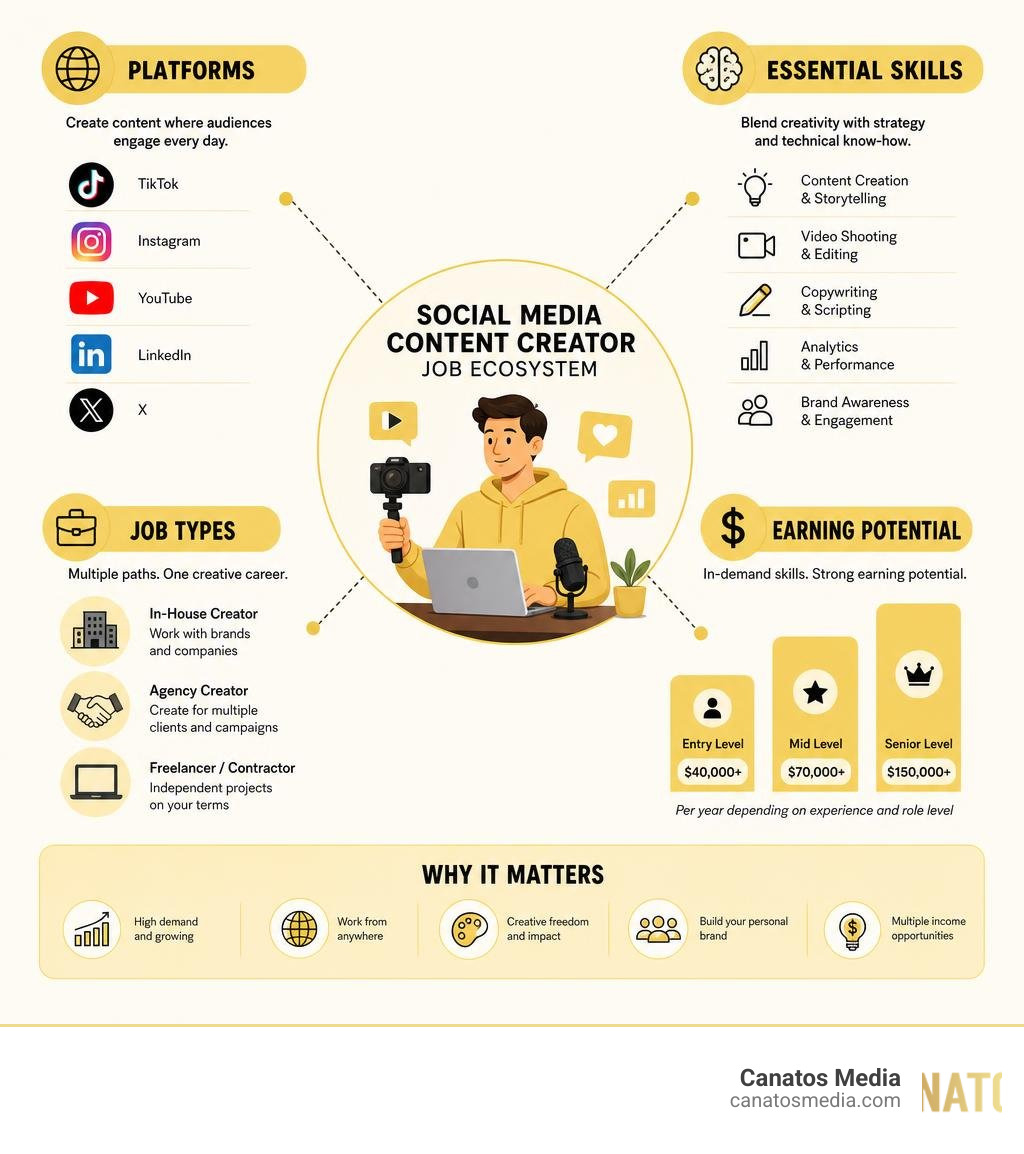
    What you’ll earn $40,000–$150,000+ per year depending on experience and role level
    Where you’ll work On-site, hybrid, or fully remote — 20% of current listings are fully remote
    Who’s hiring Entertainment, retail, beauty, tech, and agency brands across the U.S.
    How competitive is it 718 active U.S. job listings as of June 2026, with 43 new roles posted in the last 24 hours

    The demand is real and it’s growing fast. Whether you want a full-time brand role, a freelance contract, or a remote agency gig — there are more paths into this career than ever before.

    But knowing where to start and how to stand out is where most people get stuck.

    I’m Nic Canobbio, founder of Canatos Media, and I’ve spent over two decades in media production — creating content that has driven more than 60 million views across social platforms and building strategies that blend storytelling with AI-powered workflows. My hands-on experience in the social media content creator job space gives me a clear view of what employers actually want and what it takes to build a sustainable career in this field. In this guide, I’ll walk you through everything — from the job market to the skills, salaries, and strategies that will help you land the role.

    Overview of the social media content creator job ecosystem including platforms, skills, salary, and job types infographic

    The job market for social media creators has matured dramatically. What once felt like a scrappy, undefined gig has solidified into a highly structured, respected professional career path. As of June 2026, there are 718 active social media content creator job listings in the United States, with 43 fresh roles posted in just the last 24 hours.

    Brands have realized that traditional corporate advertising doesn’t connect with audiences the way it used to. Instead, they need a dedicated, creative engine to humanize their brand, translate internet culture, and build active digital communities.

    Whether you’re looking to work for an in-house brand, a creative agency, or build a freelance roster, the opportunities are abundant. If you search for open roles on platforms like LinkedIn, you’ll find hundreds of active listings, such as the 840 Social Media Content Creator jobs in United States – LinkedIn, showing that brands across every sector are actively recruiting.

    While the market is highly competitive, there is a distinct shortage of creators who understand how to balance raw creative intuition with business-driven performance metrics. If you can prove that your content doesn’t just look pretty but also moves the needle for brand engagement and conversions, you will be in high demand.

    Day-to-Day Realities of a Social Media Content Creator Job

    What does a social media content creator actually do all day? If you picture someone just lounging on a couch filming quick lip-sync videos, think again. The day-to-day reality of a social media content creator job is a , multi-disciplinary balancing act that requires both creative right-brain thinking and organized left-brain execution.

    On any given day, your schedule might look like this:

    • Morning Ideation & Scripting: Analyzing platform trends, auditing competitor channels, and writing tight, high-hook scripts.
    • Production: Setting up studio lighting, framing mobile or mirrorless camera shots, and filming multiple variations of hooks, calls-to-action, and b-roll.
    • Post-Production: Editing raw footage, adding native text overlays, choosing trending audio, and timing transitions perfectly to keep viewer retention high.
    • Optimization & Publishing: Writing engaging captions, optimizing hashtags, adjusting safe zones, and scheduling posts.
    • Analytics & Strategy: Reviewing watch-time metrics, engagement rates, and comment sections to figure out what worked and what needs to be iterated.

    To thrive in this environment, organization is key. You aren’t just making videos; you are managing a complex creative pipeline. For a deeper look at how to run this workflow smoothly, check out our guide on How to Master Social Content Management Like a Pro to understand how professional teams organize their content calendars and creative assets.

    Industry Variations: Beauty, Entertainment, and Retail

    The day-to-day responsibilities of a social media content creator job shift dramatically depending on the industry you choose to work in. Let’s look at how the role varies across three of the most popular sectors:

    1. The Beauty Industry

    In the beauty space, visual fidelity and aesthetic perfection are everything. Creators in this niche must have an expert eye for lighting, macro-photography, and color grading. You will spend your days filming high-definition texture shots, step-by-step application tutorials, and ASMR-style unboxings.

    The focus is heavily on product-centric storytelling, showcasing ingredient benefits, and matching the brand’s signature visual aesthetic. You must also be highly skilled at working with ring lights and studio backdrops to make skin and products look flawless on camera.

    2. The Entertainment Industry

    In entertainment marketing, speed and cultural relevance are your primary currencies. If you work for a TV network, a film studio, or a streaming platform, your job is to drive fandom engagement.

    This means combing through episodes, trailers, and behind-the-scenes footage to find scroll-stopping moments. You will write witty, platform-native copy, design text-on-image memes, and jump on real-time internet trends within hours of them going viral. It is a highly collaborative, fast-moving environment where you must live and breathe pop culture.

    3. The Retail Industry

    Retail content creators bridge the gap between digital content and physical experiences. If you work for a major retail brand, a lifestyle company, or a large physical destination, you will rarely be stuck behind a desk. You will be on-site, capturing the real-world energy of physical locations.

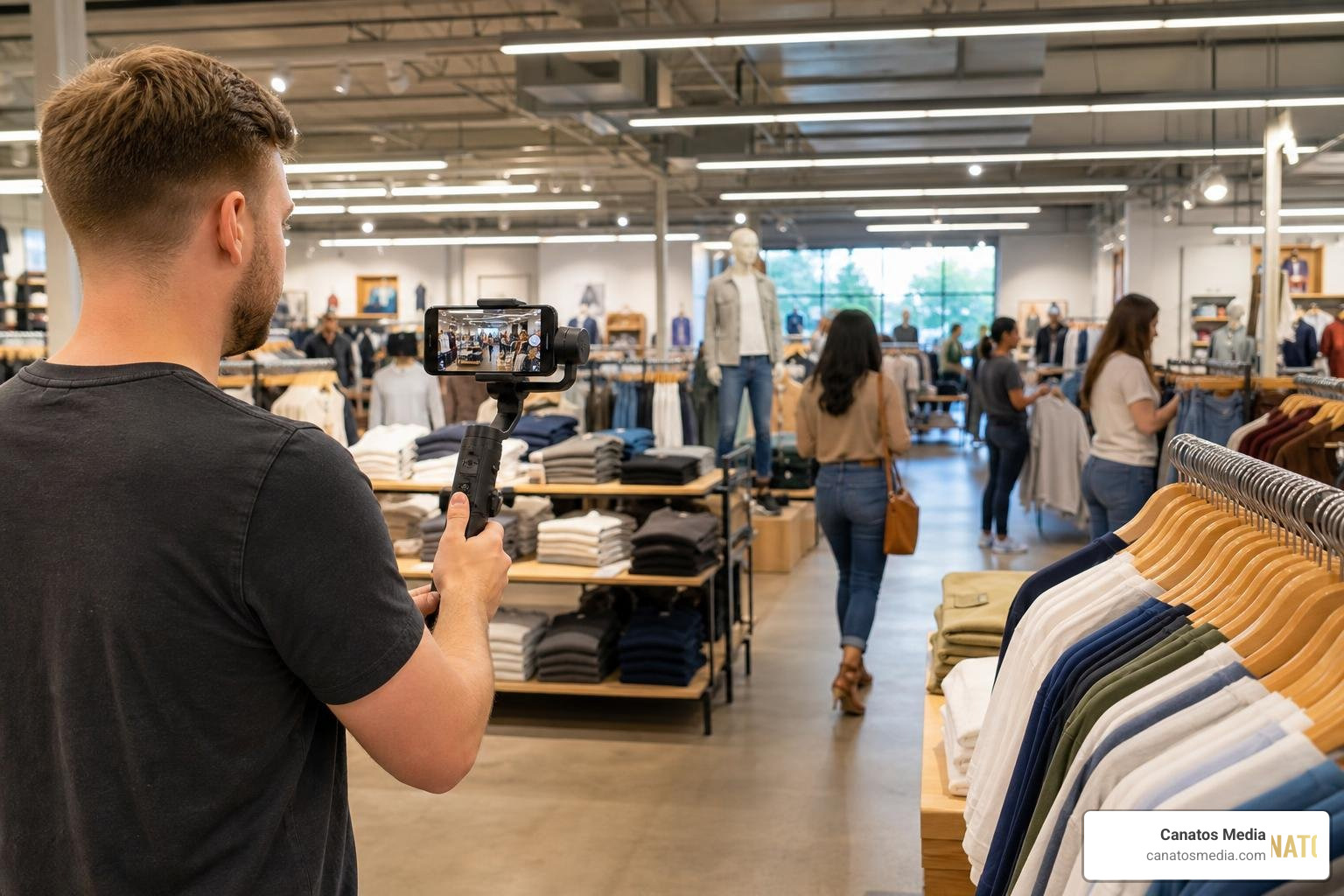
    A retail store walkthrough video shoot being captured on a mobile stabilizer

    This involves filming store walkthroughs, covering live events, showing off product styling in real-world settings, and interviewing shoppers. It is a highly active role that often requires working flexible hours, including weekends, to capture footage when foot traffic and event energy are at their peak.

    How to Stand Out and Land a Social Media Content Creator Job

    Because the entry barrier to making social media content is low, hiring managers are flooded with applications. To land a premium social media content creator job, you must prove you are a professional, not just an amateur hobbyist. Here is how to make your application impossible to ignore:

    1. Build a Video-First Portfolio: Ditch the traditional text-only resume. Your portfolio is your most important asset. It should live on a clean, modern website or a dedicated social handle. Include 3–5 high-performing short-form video case studies. Show the original hook, explain your creative strategy, and share the performance metrics (views, watch time, share rate).
    2. Highlight Multi-Format Versatility: Show that you can write witty copy, design clean graphic templates, shoot high-quality video, and edit on a tight deadline. Employers want a “one-person engine” who can take a concept from a blank page to a finished upload.
    3. Submit a Custom Creative Application: When applying to highly creative companies, don’t just send a generic cover letter. If you are applying to an entertainment brand, include a custom meme utilizing their IP. If you are applying to an agency, submit a 60-second vertical video explaining why you are the perfect fit.

    For example, when looking at creative application processes, you will see that forward-thinking employers often ask candidates to share their favorite current social media trends or submit custom creative assets to prove their cultural alignment.

    Core Skills and Technical Proficiencies Required in 2026

    To succeed as a professional content creator in 2026, passion isn’t enough. You need a robust technical toolkit. The modern creator is a hybrid professional who combines cinematic production standards with rapid, software-driven editing workflows.

    According to professional job listings, top-tier employers look for candidates who can seamlessly blend high-quality physical cinematography (using mobile and mirrorless systems) with expert-level post-production and AI automation.

    Here are the core technical proficiencies you need to master:

    • Camera & Lighting Mastery: Understanding frame composition, the rule of thirds, safe zones for vertical formats, and how to utilize natural light, ring lights, and three-point studio setups.
    • Audio Engineering: Capturing clean, crisp voiceovers using lavalier or shotgun microphones, and mixing background audio so it never overpowers the spoken word.
    • Industry-Standard Software: High proficiency in tools like Adobe Premiere Pro, Final Cut Pro, CapCut, Photoshop, and mobile editing apps.
    • Visual Branding: The ability to build and maintain branded style templates, select consistent typography, and design clean thumbnails.

    Mastering Short-Form Video Formats

    Short-form vertical video is the undisputed king of digital marketing. Platforms like TikTok, Instagram Reels, and YouTube Shorts drive the highest reach, engagement, and conversion rates across the web.

    But creating vertical masterpieces that actually convert requires a deep understanding of platform-native psychology. You cannot simply film a traditional horizontal ad, crop it to 9:16, and expect it to perform.

    Every platform has its own unique user behavior and algorithmic rules:

    • The 3-Second Hook: You must capture attention immediately. Whether it’s a visual pattern-interrupt, an intriguing question, or a bold on-screen text overlay, the first three seconds determine if a viewer stays or swipes.
    • Pacing and Rhythms: Modern vertical video editing is fast. You need to utilize jump cuts, zoom ins, sound effects, and text transitions to keep the viewer’s eyes moving and prevent drop-off.
    • Safe Zone Optimization: You must design your videos so that critical text, captions, and visual elements are not covered by platform user interfaces (like the mute button, profile icon, or description text).

    To learn how to design vertical videos that turn casual viewers into paying customers, read our guide on How to Create High-Impact Short-Form Content That Converts on Facebook and Instagram Reels. If you want to understand how to distribute these vertical assets effectively across platforms, check out our breakdown of Where to Post Your Vertical Masterpieces.

    The Rise of AI-First Workflows

    AI has completely revolutionized the creative workflow. In 2026, the most successful content creators aren’t running from artificial intelligence — they are embracing it as their ultimate creative partner to automate bottlenecks and scale production.

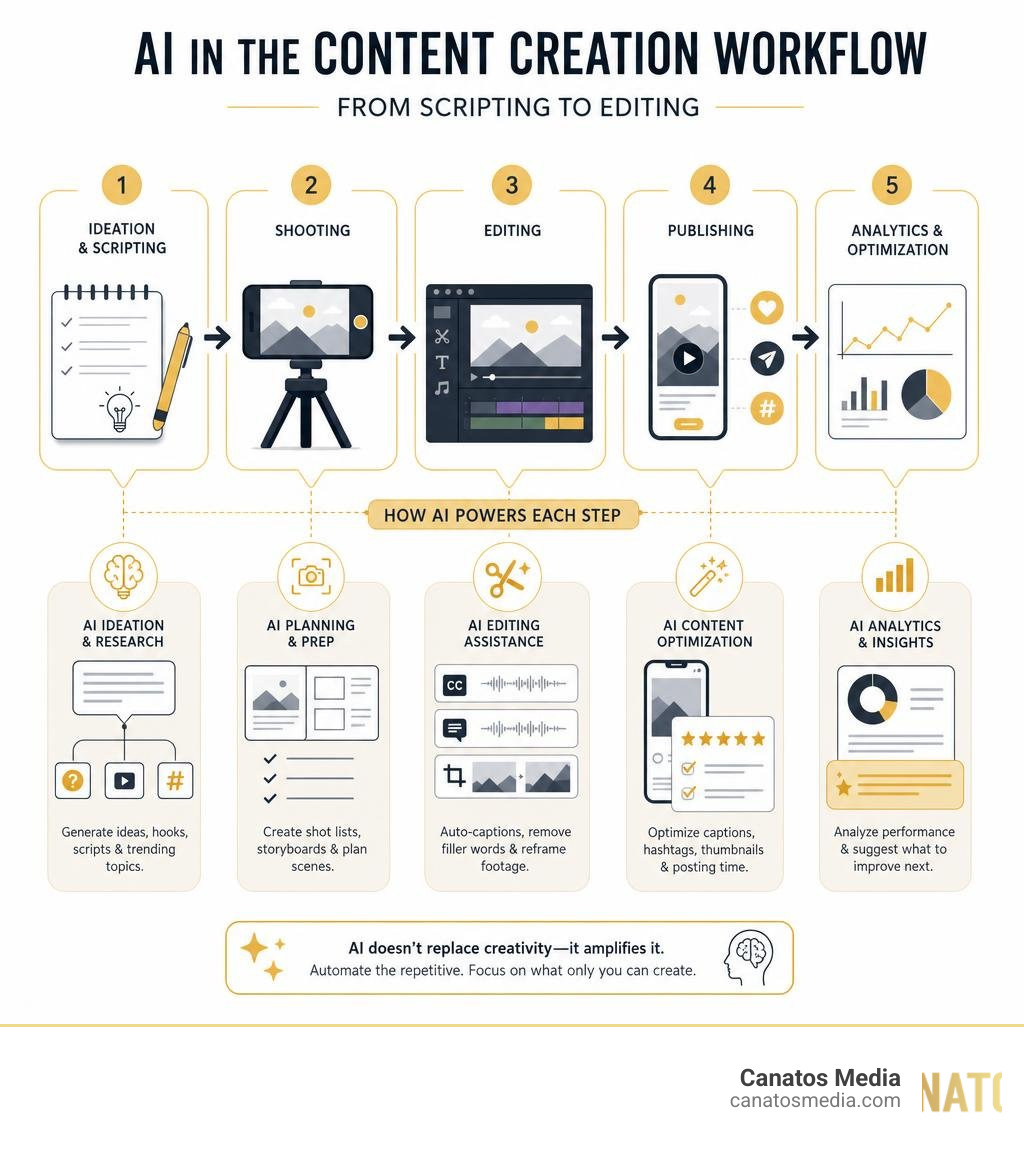
    A graphic displaying how AI tools integrate into the content creation workflow from scripting to editing infographic

    Professional creators use AI tools to:

    1. Accelerate Ideation: Utilizing generative models to brainstorm hundreds of hook variations, outline video scripts, and research emerging trends.
    2. Automate Editing Bottlenecks: Using tools like CapCut or Premiere Pro’s AI features to generate instant, highly accurate auto-captions, remove filler words (like “um” and “uh”), and automatically reframe horizontal footage into vertical formats.
    3. Enhance Production Quality: Leveraging AI tools to clean up background noise, extend video frames, and generate b-roll assets on the fly.

    By using AI to handle repetitive technical tasks, you free up your mental energy to focus on what matters most: high-level creative strategy and authentic storytelling. This hybrid approach is why professional agencies are able to produce high-volume, high-impact content much more efficiently than solo freelancers.

    To explore this dynamic further, read our article on Short-Form Content Strategy: Why Agencies Outperform Freelance Marketplaces and see how we scale production without sacrificing that crucial human touch in our guide on How We Scale Cinematic Short-Form Content Without Sacrificing Quality.

    Salary Ranges, Job Types, and Geographic Hotspots

    The financial landscape for a social media content creator job varies widely based on your location, your experience level, and the employment structure you choose. Because social media is a highly visible, revenue-generating function, companies are willing to pay top dollar for proven talent.

    If you are looking for open roles, check out the current active listings on Flexible Content Creator New York Remote Jobs – Indeed to see how compensation, benefits, and remote options are structured across different industries.

    Let’s break down the typical salary expectations across experience levels:

    • Entry-Level Creators (0-2 years experience): $40,000 – $60,000 per year (or $20 – $30 per hour for part-time/contract roles). These roles focus heavily on execution, asset creation, and basic editing under the direction of a senior strategist.
    • Mid-Level Creators (2-5 years experience): $65,000 – $95,000 per year. At this stage, you are expected to own the content pipeline, pitch creative strategies, shoot and edit independently, and analyze performance data.
    • Senior Creators / Directors (5+ years experience): $100,000 – $150,000+ per year. These high-paying roles require you to lead creative teams, manage agency partnerships, integrate organic content with paid ad strategies, and align social media goals with overall business revenue.

    U.S. Cities with the Highest Demand

    While remote work is highly popular, geographic location still plays a massive role in where the highest-paying, most prestigious jobs are located.

    The Tri-state area — specifically New York City and its surrounding regions like Long Island — remains one of the absolute biggest global hubs for media, fashion, retail, and advertising.

    • New York, NY: Accounts for 114 out of 718 (16%) of all active content creator job listings in the country. If you want to work with major global brands, high-profile agencies, or luxury retail, New York is the place to be. You can browse active local listings on 129 Social Media Content Creator jobs in New York – LinkedIn.
    • Long Island & Tri-State Suburbs: Many local businesses, auto groups, real estate firms, and boutique marketing agencies in Long Island are actively hiring in-house creators to build local brand awareness. If you want to work close to home, check out local job boards or search for local marketing roles on major platforms like LinkedIn and Indeed.

    A social media content creator editing viral short-form video on a laptop in a cozy NYC cafe

    Many of these local suburban roles offer hybrid schedules, allowing you to spend a couple of days shooting on-site on Long Island and the rest of the week editing from the comfort of your home.

    Comparing Job Types and Experience Levels

    To help you decide which employment path aligns best with your lifestyle and career goals, let’s compare the three primary job types available to social media creators:

    Feature Full-Time Brand Role Freelance / Contract Creative Agency Role
    Income Stability High (fixed salary + benefits) Variable (hourly or per-project rate) High (fixed salary + benefits)
    Creative Variety Low (focused on one brand) High (work with multiple clients) High (manage multiple client accounts)
    Schedule Flexibility Low (typically structured hours) High (you set your own hours) Moderate (agency deadlines & structures)
    Growth Potential Linear (advancing to Manager/Director) Unlimited (scale your own business) Rapid (exposure to diverse industries)
    Collaboration Work with internal marketing teams Work solo directly with business owners Work with professional designers, editors, and ad buyers

    If you are a small business owner looking to hire, or a creator wanting to see how professional agencies bridge the gap between organic creative work and paid advertising, check out our guide on Social Media Marketing Agency: Small Business Matches Made in Heaven.

    Frequently Asked Questions about Content Creation Careers

    What qualifications do I need for a social media content creator job?

    You do not need a specific college degree to land a social media content creator job. While a degree in marketing, communications, or film production can look great on a resume, hiring managers care infinitely more about your proven portfolio and your platform mastery.

    To prove you have what it takes, you should focus on developing a diverse, self-taught skill set:

    • Show, Don’t Tell: Create a personal social media account and use it as your sandbox. Experiment with different editing styles, hooks, and transitions, and show that you can organically grow an audience from scratch.
    • Master the Tools: Take free or low-cost courses to master Adobe Premiere, CapCut, and basic lighting setups.
    • Understand Distribution: Learn how to optimize your finished videos for different platforms. For a deep dive into where and how to upload your content for maximum reach, read our guide on Where to Post Your Vertical Masterpieces.

    Can I work fully remote as a social media content creator?

    Yes, but it depends heavily on the industry. Approximately 20% of active social media content creator job listings are fully remote. These remote roles are highly common in industries like SaaS (software as a service), B2B tech, and digital agencies where the content can be created using screen recordings, stock assets, user-generated content (UGC) networks, or remote interviews.

    However, if you work in retail, hospitality, entertainment, or local services, your role will naturally require a hybrid or on-site schedule. You cannot film a walkthrough of an amusement park, shoot product textures for a beauty brand, or cover a live event from your living room.

    If you prefer a hybrid lifestyle, look for roles that allow you to cluster your filming days together on-site, leaving you with quiet, uninterrupted remote days for editing and planning.

    How are AI tools changing the content creator role?

    AI is not replacing content creators; it is replacing creators who refuse to use AI. Artificial intelligence acts as a powerful force multiplier that allows a single creator to run like an entire production studio.

    By automating tedious tasks like generating captions, cutting out silences, and resizing video formats, AI tools allow you to focus on the high-level creative work that computers cannot replicate: authentic human connection, unique humor, and strategic storytelling.

    Conclusion: Is This Your Dream Career?

    A social media content creator job is an incredibly rewarding career path for anyone who loves blending visual storytelling with digital strategy. It is a , highly dynamic role where you get to shape brand narratives, experiment with cutting-edge creative technology, and see the real-time impact of your work.

    But to truly succeed and scale your career, you must remember that content does not exist in a vacuum. The most valuable creators are those who understand how organic content fits into a larger, integrated digital marketing strategy.

    At Canatos Media, we specialize in this exact intersection. We create cinematic short-form videos, manage end-to-end social media, run high-converting paid ads (Meta and Google), and provide SEO and website support for businesses across the Tri-state area and Long Island. Our unique strength lies in our integrated strategy: we connect beautiful creative content with precise targeting and conversion optimization to drive real, measurable business growth.

    If you are a business owner looking to take your digital presence to the next level without the headache of managing a content pipeline yourself, check out our All-in-One Social Content and Management services. Let us handle the strategy, the production, and the growth while you focus on running your business.

  • Master Your LinkedIn Paid Campaign Strategy Without the Headache

    Master Your LinkedIn Paid Campaign Strategy Without the Headache

    Why Your LinkedIn Paid Campaign Strategy Is Make or Break for B2B Growth

    A strong linkedin paid campaign strategy is the difference between burning budget on bot leads and actually filling your pipeline with decision-makers who can sign contracts.

    Here is a quick-start framework to get your LinkedIn ads working:

    1. Pick the right objective first — Awareness, Consideration, or Conversion — based on where your buyer is in their journey
    2. Target precisely — Use job title, seniority, company size, and company lists to reach real decision-makers
    3. Keep audiences under 100,000 — Smaller, tighter audiences reduce junk traffic and bot leads
    4. Turn off Audience Expansion and LinkedIn Audience Network — These defaults drain budget on irrelevant impressions
    5. Match your offer to the funnel stage — Cold audiences need value-first content (checklists, webinars), not demo requests
    6. Use Manual or Cost Cap bidding — Avoid letting LinkedIn’s Maximum Delivery inflate your CPMs unchecked
    7. Budget at least $5,000/month — LinkedIn reps advise against Lead Gen or Conversion campaigns below this threshold
    8. Measure pipeline quality, not just clicks — Track qualified lead rate, sales acceptance, and cost per opportunity

    LinkedIn has over 1 billion users, and four out of five of them drive business decisions. That is an enormous professional audience. But the platform’s defaults, its auction system, and its ad formats can work against you if you do not know what to watch for.

    Many advertisers have spent thousands of dollars — sometimes over $3,000 in a single campaign — and walked away with zero qualified leads. Not because LinkedIn does not work, but because the setup was wrong from the start.

    I am Nic Canobbio, founder of Canatos Media, and over two decades of building media strategies and high-stakes partnerships has shown me exactly where a linkedin paid campaign strategy succeeds or stalls. In this guide, I will walk you through the exact steps to run campaigns that actually convert.

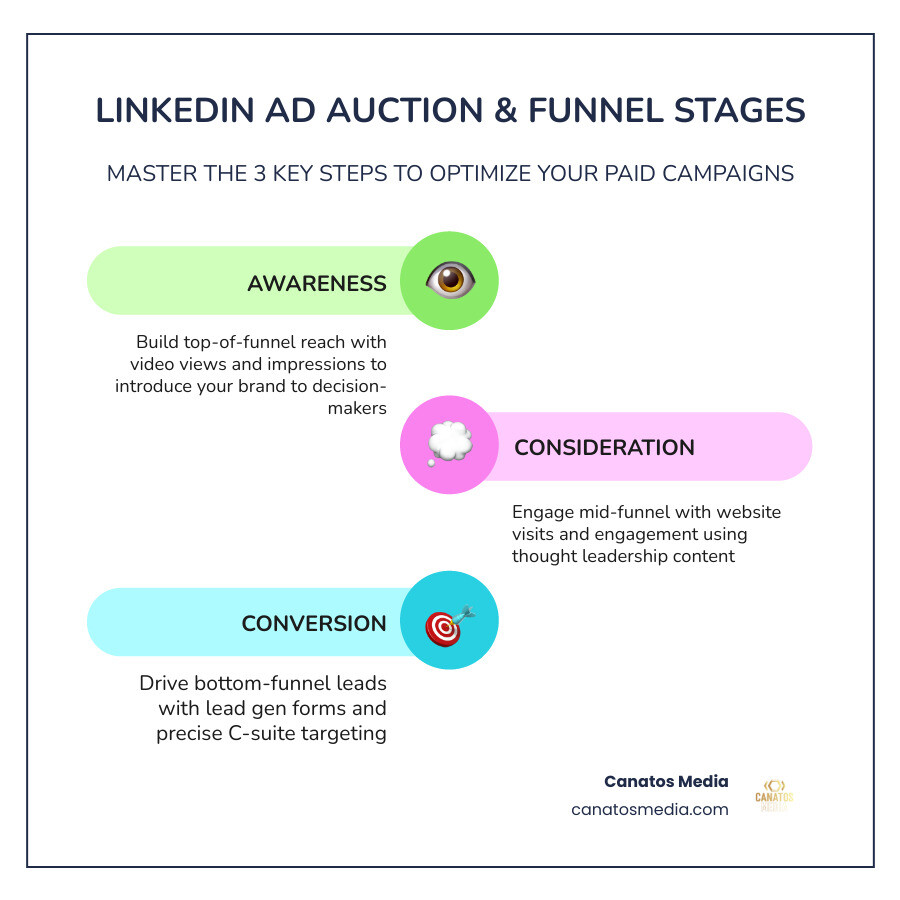
    LinkedIn paid campaign strategy funnel stages and ad auction overview infographic - linkedin paid campaign strategy

    Building a Full-Funnel linkedin paid campaign strategy

    To succeed on LinkedIn in May 2026, you cannot simply “set and forget” a single ad. B2B buyers are more sophisticated than ever. They require multiple touchpoints before they trust a brand enough to share their contact information. A full-funnel approach ensures you are not just asking for a “marriage” on the first date.

    Full-funnel B2B marketing diagram showing Awareness, Consideration, and Conversion stages - linkedin paid campaign strategy

    A successful funnel moves a prospect through three distinct stages:

    • Awareness: You are introducing your brand to a cold audience. The goal here is reach and “brand recall.” You want them to recognize your name when they see it again.
    • Consideration: You are providing value. This is where you drive traffic to your website or encourage engagement with a video. You are proving you understand their pain points.
    • Conversion: This is the “ask.” Whether it is a Lead Gen Form for a whitepaper or a website conversion for a demo, you are collecting data to hand off to sales.

    For a deeper dive into how social ads work across platforms, check out our guide on Paid Social Media Advertising from Zero to Hero in One Hour.

    Comparing LinkedIn Ad Objectives

    Funnel Stage Recommended Objective Best Ad Formats Key Metric
    Awareness Brand Awareness Video Ads, Single Image Impressions / Reach
    Consideration Website Visits / Engagement Thought Leader Ads, Document Ads CTR / Video View Rate
    Conversion Lead Generation / Conversions Lead Gen Forms, Conversation Ads CPL / Conversion Rate

    Aligning Objectives with High-Ticket B2B Services

    When you are selling high-ticket services—like podcast marketing for executives or enterprise software—the “Conversion” objective can be a trap if used too early. High-consideration purchases require high-trust relationships.

    According to Ad set setup best practices | LinkedIn Help, selecting the right objective is the foundation of your ad set performance. If you target a Fortune 1000 CEO with a “Book a Demo” ad immediately, you will likely see high costs and low engagement. Instead, align your objective with the “temperature” of the audience. Use Awareness to highlight a common industry problem, then use Consideration to offer a solution-oriented case study.

    Selecting Ad Formats for Every Funnel Stage

    Choosing the right format is as important as the message itself. In 2026, LinkedIn offers a variety of “media-rich” options:

    • Sponsored Content (Single Image & Carousel): The bread and butter of the feed. Carousels are excellent for step-by-step walkthroughs or product comparisons.
    • Video Ads: One of LinkedIn’s fastest-growing formats. Keep them under 30 seconds for the best results, and always include captions, as many executives browse on mute.
    • Document Ads: A powerhouse for lead gen. Users can read your whitepaper or checklist directly in the feed.
    • Thought Leader Ads: These allow you to sponsor a post from a real person’s profile (like a CEO or subject matter expert). They feel more authentic and less like a “corporate” ad.
    • Connected TV (CTV): 84% of B2B marketers using CTV ads find them helpful for ROI. These are perfect for high-level brand storytelling at the top of the funnel.
    • Sponsored Messaging (Message & Conversation Ads): These land directly in the inbox. LinkedIn has a frequency cap: members usually only receive these once every 45 days.

    Precision Targeting for C-Suite and Fortune 1000 Executives

    The most powerful feature of LinkedIn is the data. You can target by job title, company size, and even specific company names. However, “with great power comes great responsibility”—or in this case, the risk of over-targeting.

    Executive-level targeting settings in LinkedIn Campaign Manager - linkedin paid campaign strategy

    To reach the C-suite in the tri-state area or Long Island, you need a balanced linkedin paid campaign strategy. Start with your Ideal Customer Profile (ICP). If you are looking for Fortune 1000 leaders, do not just rely on job titles. Many executives have “unique” titles that might not fit standard categories.

    Instead, use Matched Audiences. This allows you to upload a specific list of target companies (Account-Based Marketing) and then layer on seniority filters like “VP” or “C-level.” You can also leverage Predictive Audiences, which uses LinkedIn’s AI to find users similar to your existing high-value customers.

    As noted in Paid Advertising on LinkedIn: A Practitioner’s Guide (2026), the goal is not to make the audience as small as possible, but to make it as coherent as possible.

    Avoiding Bot Leads and Audience Expansion Pitfalls

    One of the most common ways beginners blow their budget is by leaving default settings toggled “on.”

    • Audience Expansion: This allows LinkedIn to show your ads to people “similar” to your target. In theory, it sounds great. In reality, it often pulls in low-quality leads and bots. Turn it off for niche B2B campaigns.
    • LinkedIn Audience Network (LAN): This sends your ads to third-party apps and websites. Unless you are running a massive brand awareness play, uncheck this box to keep your ads strictly on the LinkedIn platform.

    If you have ever seen “leads” with zero connections and weird job titles, you have likely fallen victim to these settings. Use Exclusion Lists to filter out competitors, current employees, and job seekers to ensure every dollar is spent on potential buyers.

    Lead Gen Forms vs. Website Conversions

    This is the age-old LinkedIn debate.

    Lead Gen Forms are incredibly low-friction. They auto-fill with the user’s LinkedIn data, making it easy for them to convert. However, because they are too easy, you might get lower-intent leads. Website Conversions require the user to leave LinkedIn and fill out a form on your site. This creates more “friction,” but the leads who finish the process are usually much higher quality.

    When should you use which?

    • Use Lead Gen Forms for “low-threat” offers like checklists, industry reports, or webinar sign-ups.
    • Use Website Conversions for high-intent actions like “Request a Quote” or “Schedule a Consultation.”

    For help setting up these complex tracking systems, take a look at our digital marketing services.

    Optimizing Performance and Scaling Results

    Once your campaign is live, the real work begins. LinkedIn’s “learning phase” typically lasts 10 to 14 days. During this time, the machine learning algorithm is figuring out who is most likely to engage with your ad. Avoid making major changes during this window, or you will reset the clock.

    Bidding and Budgeting Strategies

    To control costs, you need to move away from “Maximum Delivery” once you have baseline data.

    • Manual CPC (Cost Per Click): This gives you the most control. Start at about 1/3 of LinkedIn’s suggested bid. If you aren’t spending your daily budget, increase the bid by 15-20%.
    • Cost Cap: You set a target price per result, and LinkedIn tries to keep your average near that number.
    • Budgeting: Realistically, you need at least $5,000 per month for conversion-focused campaigns. While the daily minimum is $10, that won’t provide enough data to optimize a high-ticket B2B service.

    Scaling Your linkedin paid campaign strategy with Accelerate

    LinkedIn recently introduced Accelerate campaigns. These are AI-assisted setups that automate targeting and creative placement.

    • When to use Accelerate: If you have a small team or are new to the platform, Accelerate can get you live fast.
    • When to use Classic: If you are doing strict ABM, targeting a very narrow list of companies, or need granular control over exclusions, stick with “Classic” campaigns.

    Refining Your linkedin paid campaign strategy through A/B Testing

    Never run just one ad. We recommend rotating at least 3-4 creative variations.

    • Test your Hook: Try one headline that calls out a pain point and another that promises a specific result.
    • Test your Visuals: Compare a professional stock photo against a “Thought Leader” style image of your founder.
    • User-Generated Content (UGC): Screenshots of reviews or video testimonials often outperform polished corporate videos because they provide social proof.

    Frequently Asked Questions about LinkedIn Ads

    How much budget is realistically needed for LinkedIn ads?

    While you can start with a $10 daily minimum, a linkedin paid campaign strategy aimed at high-ticket lead generation usually requires $5,000+ per month. This allows the algorithm enough “signal” to find your buyers. LinkedIn clicks are expensive—often $5 to $15+—so a small budget will result in very few clicks and zero statistical significance.

    What are the most common mistakes beginners make?

    The “Big Three” mistakes are:

    1. Hyper-targeting: Making an audience so small (under 10,000) that the ad auction ignores you.
    2. Leaving “Audience Expansion” on: This dilutes your targeting with irrelevant users.
    3. Weak Offers: Asking for a demo from someone who has never heard of you. Offer a “valuable asset” first.

    How do you reach Fortune 1000 decision-makers without junk leads?

    The secret is a combination of Company Lists and Manual Bidding. By uploading the specific list of Fortune 1000 companies and using manual CPC, you ensure you aren’t overpaying for “junk” traffic from the Audience Network. Also, ensure you are excluding “Junior” and “Entry Level” seniorities.

    Conclusion

    Mastering a linkedin paid campaign strategy is not about having the biggest budget; it is about having the most precise strategy. By moving away from “set and forget” defaults and focusing on a full-funnel approach, you can turn LinkedIn into a predictable revenue generator for your B2B business.

    At Canatos Media, we specialize in an integrated strategy that connects cinematic video content with surgical targeting. Whether you are in the tri-state area or right here on Long Island, we help you bridge the gap between “clicks” and “contracts.”

    Ready to stop guessing and start growing? Elevate your business with our professional marketing services and let’s build a campaign that actually works for you.

  • The Definitive Guide to Tri State Marketing

    The Definitive Guide to Tri State Marketing

    What Tri State Marketing Really Means for the Foodservice Industry

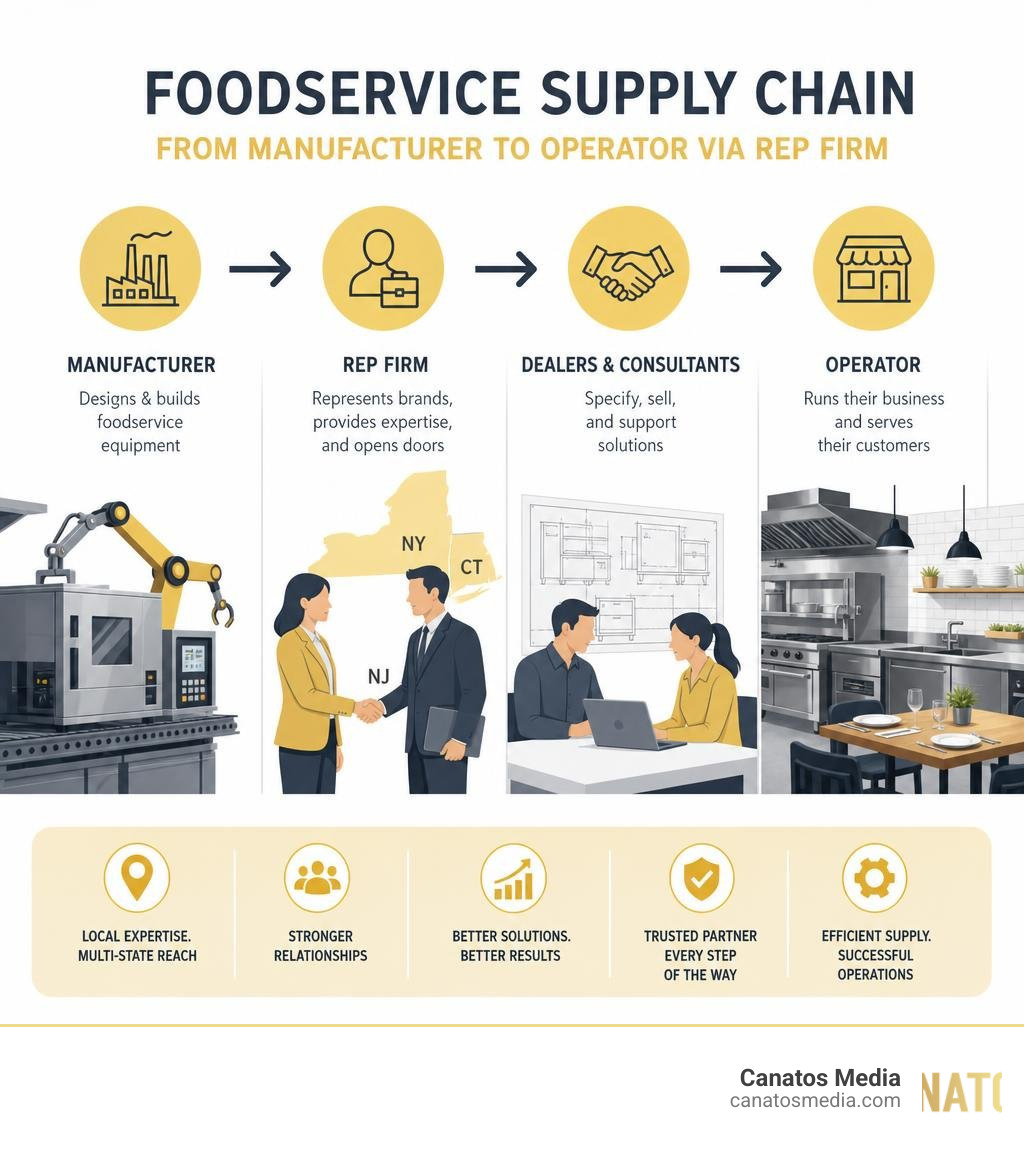
    Tri state marketing — in the foodservice world — refers to the work of manufacturers’ representative firms that connect equipment brands with dealers, consultants, and operators across multi-state regions like New York, New Jersey, and Connecticut.

    Here’s a quick breakdown of what that looks like in practice:

    • Who they serve: Restaurants, healthcare facilities, schools, and hospitality businesses
    • What they do: Connect commercial equipment brands with buyers across a defined territory
    • Key players: Rep firms like Tri-State Marketing Associates act as an extension of the brands they represent
    • Why it matters: Without rep firms, manufacturers would struggle to maintain relationships and sales across large geographic areas

    One firm that defines this model is Tri-State Marketing Associates — founded in 1999 and headquartered in Ossining, New York. With 18 employees, over 130 years of combined industry experience, and $8.6M in annual revenue, they’ve built a reputation as a go-to resource for foodservice professionals across the Northeast.

    This guide breaks down how they operate, which brands and territories they cover, and what their growth trajectory reveals about the broader tri state marketing landscape.

    I’m Nic Canobbio, and through my work building strategic partnerships and media-driven growth at Canatos Media, I’ve seen how regional tri state marketing strategies can make or break a brand’s local presence. This guide draws on that experience alongside deep research into the foodservice rep model.

    Foodservice supply chain from manufacturer to operator via rep firm infographic infographic

    What is Tri State Marketing Associates?

    commercial foodservice equipment in a modern commercial kitchen

    At its core, Tri-State Marketing Associates is a premier manufacturers’ representative group dedicated to the commercial foodservice equipment and supplies industry. Instead of operating as a traditional, detached sales intermediary, the company functions as a direct, value-added extension of the manufacturing brands they represent.

    For commercial kitchen operators, selecting the right equipment is a high-stakes decision. A single purchasing error can lead to workflow bottlenecks, high energy bills, and expensive maintenance down the road. Tri-State Marketing Associates bridges this gap by providing foodservice professionals with the exact tools, hands-on knowledge, and support they need to make informed decisions.

    By operating closely within the local supply chain, they ensure that dealers, consultants, and end-user operators have immediate access to world-class equipment solutions. Their hands-on approach includes live equipment demonstrations, culinary consultations, and comprehensive product training, ensuring that high-end kitchen technology is fully understood and correctly utilized in the field.

    History and Evolution of the Rep Firm

    The story of Tri-State Marketing Associates began in 1999, when the firm was founded by industry veterans Lynne Schultz and Bart Gobioff. Recognizing a need for a more relational, service-oriented representative group in the New York metropolitan area, the founders set out to build a business grounded in deep product knowledge and strong regional relationships.

    Over the last two decades, the company has evolved from a localized rep firm into a regional powerhouse. Headquartered at 730 Old Kitchawan Rd N in Ossining, New York, the firm has expanded its footprint across multiple states, strategically establishing touchpoints in Westbury, NY, and Katonah, NY, to better serve their growing client base.

    A major milestone in their modern evolution occurred in 2024, when the firm officially joined the Manufacturers’ Agents Association for the Foodservice Industry (MAFSI). This membership solidified their status as a top-tier representative group, aligning them with national standards of excellence and giving them access to advanced industry resources. To learn more about their foundational values and current operations, you can visit the official homepage for Food Service Manufacturer Reps New York | Tri-State Marketing .

    Core Services in the Foodservice Industry

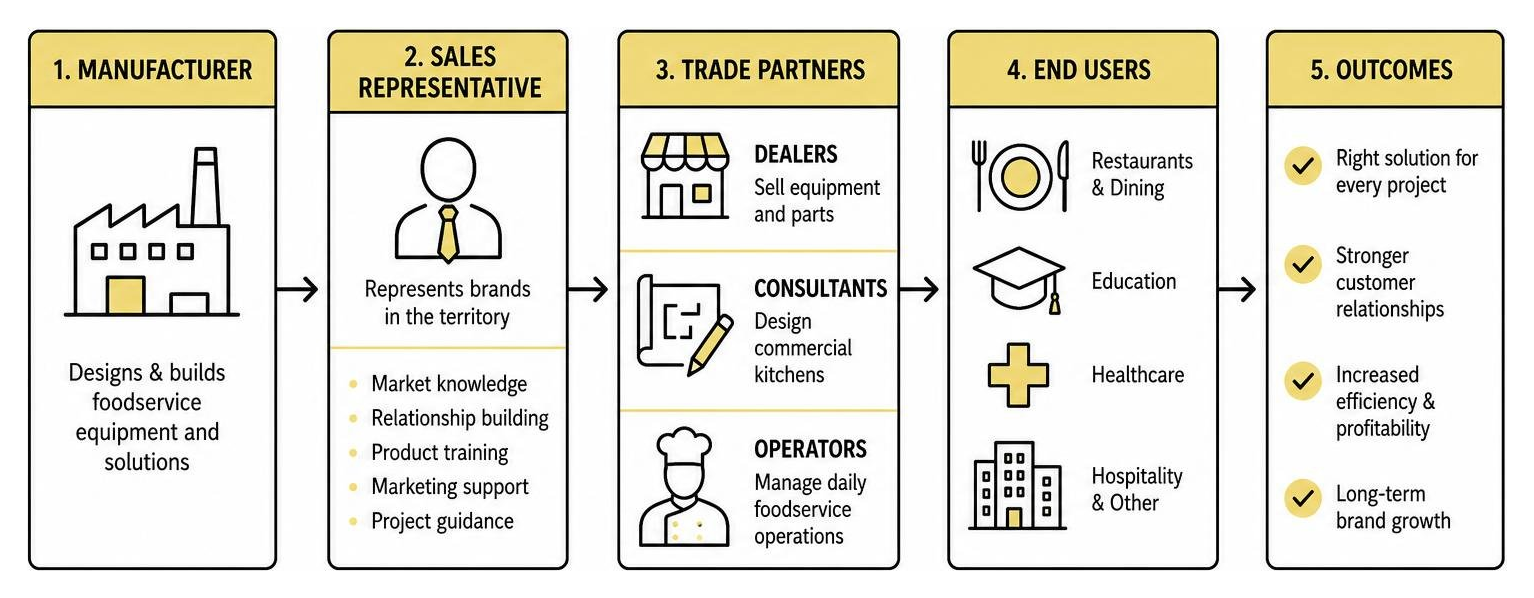
    To truly understand their impact, it helps to look at the specific ways Tri-State Marketing Associates supports the different segments of the foodservice supply chain:

    • Dealer Support: They provide commercial equipment dealers with up-to-date pricing, technical specifications, sales training, and promotional assets to help them sell represented brands effectively.
    • Consultant Support: Foodservice consultants designing commercial kitchens rely on the firm for highly accurate CAD drawings, Revit files, utility requirements, and innovative product applications.
    • Operator Initiatives: By working directly with operators—such as chefs, school nutrition directors, and healthcare foodservice managers—the firm helps end-users find tailored solutions for menu expansion, labor savings, and energy efficiency.
    • Brand Extension: For the manufacturers they represent, they act as a local sales and marketing department, executing targeted regional campaigns, attending local trade shows, and managing customer relationships.

    In many ways, their operational model mirrors what we do in the digital space. Just as a manufacturer relies on a local representative to connect their products with the right buyers, local businesses rely on specialized growth partners to navigate complex digital landscapes. If you are looking to scale your own business using modern marketing strategies, check out our guide on how to Stop Searching and Start Growing with the Best Local Marketing Companies.

    Territories and Brands Represented

    To manage a successful regional presence, a manufacturers’ representative must balance geographic accessibility with an elite portfolio of brands. Tri-State Marketing Associates has carefully curated a list of industry-leading manufacturers that cover virtually every major category in a commercial kitchen.

    Brand Primary Product Categories Key Applications & Industries Served
    Arctic Industries Walk-In Coolers & Freezers Restaurants, Cold Storage, Healthcare, Education
    EmberGlo Commercial Steamers & Charbroilers Quick-Service Restaurants, Diners, Specialty Kitchens
    Revent High-End Rack Ovens & Bakery Equipment Commercial Bakeries, Supermarkets, Artisanal Shops
    Winholt Material Handling, Racks, & Equipment Foodservice, Retail, Industrial Warehousing
    Vita-Mix Commercial Blenders & Beverage Prep Bars, Smoothies Shops, Coffee Houses, Restaurants
    Seating Concepts Commercial Furniture & Decor Dining Rooms, Food Courts, Corporate Cafeterias

    Diagram of foodservice representative sales channel flow

    Geographic Reach of Tri State Marketing

    The geographic coverage of Tri-State Marketing Associates is highly strategic, focusing on the dense and demanding markets of the Northeastern United States. Their primary territories include:

    • New York: Comprehensive coverage across the Metropolitan area, Long Island, Brooklyn, Queens, and Upstate New York.
    • New Jersey: Serving both Northern and Southern Jersey operators and dealers.
    • Pennsylvania: Focused coverage in Eastern Pennsylvania.
    • Delaware & New England: Expanding their reach to service the broader Northeast and Keystone territories.

    Managing such a diverse and geographic footprint requires clear channels of communication. Whether coordinating a walk-in freezer installation in Brooklyn or a bakery design in Philadelphia, their regional team remains highly accessible. For specific territory inquiries or regional support, you can reach out directly via the Contact | Tri-State Marketing page.

    Premier Brands and Product Categories

    The brands represented by Tri-State Marketing Associates are synonymous with durability and innovation. For example, Arctic Industries is a leader in custom walk-in coolers, offering polyurethane foam panels that deliver exceptional thermal efficiency. Meanwhile, Vita-Mix blenders are the undisputed gold standard for commercial beverage programs, relied upon daily by high-volume bars and coffee shops.

    By representing complementary product lines—spanning cooking, steam, refrigeration, holding, transport, and seating—they are able to offer complete, package-level solutions to their clients. This holistic approach is highly effective in business development.

    Whether you are selling high-end kitchen equipment or local services, success always comes down to solving the customer’s entire problem rather than just selling a single piece of the puzzle. For local businesses looking to apply these cohesive customer acquisition frameworks to their own models, we highly recommend exploring The Long Island Growth Guide: Customer Acquisition Strategies That Actually Work.

    The Team and Growth Metrics Driving Success

    Tri-State Marketing team collaborating on regional outreach

    The success of any representative firm relies entirely on the quality of its people and the strength of its relationships. Tri-State Marketing Associates has built a highly structured, multi-disciplinary team designed to support every phase of the sales and customer service cycle.

    Industry Expertise and Key Leadership

    The team boasts over 130 years of combined experience in the foodservice industry, giving them unparalleled insight into the operational challenges faced by modern kitchens.

    Key leadership and team members include:

    • Lynne Schultz & Bart Gobioff: Co-founders who established the firm’s relationship-first philosophy.
    • Marc Fugaro: Vice President, driving regional sales initiatives and strategic planning.
    • Judy Clinton: Managing crucial operational and customer support systems.

    The rest of the organization is rounded out by specialized roles, including dedicated Directors of Operator Initiatives, Outside Sales Associates, Inside Sales Support, Customer Service Representatives, and Social Media & Office Assistants. This specialized division of labor ensures that no client request falls through the cracks.

    To meet the individuals driving these regional operations and read their professional bios, visit the Our Team | Tri-State Marketing page, or view their professional corporate profiles through the Tri-State Marketing Associates Employee Directory .

    Modern Tri State Marketing Strategies and Growth Metrics

    As of July 2026, Tri-State Marketing Associates continues to showcase impressive growth, proving that their relationship-driven model—when paired with modern outreach—is highly resilient.

    Key performance and growth indicators for the firm include:

    • Employee Count: Currently employing 18 professionals, representing a healthy +6.5% year-over-year growth (+2 employees).
    • Annual Revenue: Generating an impressive $8.6M in annual sales revenue.
    • LinkedIn Presence: Reaching 917 followers, with a steady monthly growth of +2.5% and an outstanding yearly growth of +47.0%.
    • Website Traffic: Attracting 2,089 monthly visits, driven by a massive monthly traffic spike of +116.7% and a yearly growth rate of +60.7%.

    A major driver of this online and offline momentum is their active engagement with the local community through customer spotlight features. For example, their June Customer Spotlight highlighted the prestigious Country Club of New Canaan, showcasing how high-quality equipment elevates country club dining. Similarly, their May Customer Spotlight celebrated Bakers Grimm welcoming a state-of-the-art RATIONAL iCombi Pro into their bakery, while their March Customer Spotlight focused on the culinary creations at Pastabilities.

    By sharing these real-world success stories on social media and their blog, they build trust and demonstrate the tangible impact of their equipment. This is a prime example of how modern B2B businesses can use digital storytelling to drive real-world sales.

    If you want to build a highly engaged social media presence that converts local followers into loyal clients, check out our insights on finding a Social Media Marketing Agency Small Business Matches Made in Heaven.

    Additionally, if you are planning to scale your regional outreach through paid channels or high-quality video content, learning How to Select a Local Growth Marketing Partner for Creative and Ads is a crucial next step.

    Frequently Asked Questions About Tri-State Marketing

    What industries does Tri-State Marketing Associates serve?

    Tri-State Marketing Associates serves a wide range of commercial foodservice sectors. Their primary client base includes independent and chain restaurants, healthcare facilities (such as hospitals and assisted living communities), educational institutions (K-12 schools and university campuses), and hospitality venues (hotels, country clubs, and convention centers).

    Which brands does Tri-State Marketing represent?

    They represent some of the most respected brands in the commercial kitchen space, including Arctic Industries (walk-in refrigeration), EmberGlo (steamers and charbroilers), Revent (commercial ovens), Winholt (material handling and racks), Vita-Mix (high-performance commercial blenders), and Seating Concepts (commercial furniture and interior decor solutions).

    How can foodservice operators contact Tri-State Marketing?

    Foodservice operators, dealers, and consultants can easily get in touch with the firm. Their main headquarters is located at 730 Old Kitchawan Rd N, Ossining, NY 10562. You can reach their office by phone at (914) 941-1717 or submit an inquiry directly through the contact forms on their official website.

    Conclusion

    The success of Tri-State Marketing Associates demonstrates the power of a highly integrated regional strategy. By combining deep, hands-on industry expertise with consistent support for dealers, consultants, and operators, they have built a business that generates $8.6M in annual revenue and continues to expand its geographic and digital footprint.

    Whether you are distributing heavy commercial kitchen equipment or running a local service business in the tri-state area, the core principles of growth remain the same: you must build genuine relationships, establish a clear local presence, and use modern digital tools to tell your story.

    At Canatos Media, we help businesses across the tri-state area and Long Island turn their regional goals into reality. We create cinematic short-form videos, manage highly active social media channels, run targeted paid ad campaigns on Meta and Google, optimize websites for SEO, and provide ongoing technical support. Our integrated strategy is built to connect your content, targeting, and conversions for measurable, long-term growth.

    Ready to elevate your local marketing and start reaching more customers? Let’s build something great together. Connect with us at Canatos Media today.

  • Facebook Business Manager: Your Central Hub for Social Media Domination

    Facebook Business Manager: Your Central Hub for Social Media Domination

    Why Every Business Owner Needs Facebook Business Manager in 2026

    Facebook Business Manager is Meta’s free platform for managing all your business assets — pages, ad accounts, team access, and more — from one secure, centralized dashboard, completely separate from your personal Facebook profile.

    Quick answer: What does Facebook Business Manager do?

    Feature What It Does
    Asset Management Manage Pages, ad accounts, and Instagram profiles in one place
    Team Access Add employees and agencies with specific permission levels
    Ad Tools Create, run, and track paid campaigns across Meta platforms
    Security Keep business activities fully separate from personal accounts
    Partner Sharing Grant agencies access without sharing your personal login

    If you’re like most local business owners, you’re probably managing your Facebook Page through your personal account right now. Maybe a team member even has your login saved on their phone. It works — until it doesn’t.

    Accidental personal posts on your business page. Work notifications blowing up your personal feed at 11pm. A fake “business account” that Facebook’s bots could delete at any time. These are real risks that cost businesses time, money, and credibility every day.

    The good news? There’s a smarter way to run things.

    I’m Nic Canobbio, founder of Canatos Media, and after managing Facebook Business Manager accounts for brands generating tens of millions of social media views, I’ve seen how this platform separates businesses that scale from those that stay stuck. In the sections below, I’ll walk you through everything you need to get set up and running the right way.

    Facebook Business Manager ecosystem infographic showing pages, ad accounts, team roles, and partner access infographic

    Related content about facebook business manager:

    What is Facebook Business Manager and Why Your Business Needs It

    For years, many businesses managed their Facebook Pages by logging in through a personal profile or, worse, creating a pseudo “business profile” under a fake name (like “John’s Bakery Profile”). Today in July 2026, those outdated practices are not just inefficient — they are incredibly risky.

    First, let’s address the fake accounts. Meta enforces strict policies against pseudo business accounts. Their automated security bots constantly scan the network for fake profiles, and if they catch one, they will permanently delete it. If your business page is tied solely to a fake profile that gets shut down, you could lose access to your page, your custom audiences, and your ad history forever.

    Comparison workflow between personal account limitations vs Business Manager security

    Using a personal profile to manage business assets also creates massive security risks. When you share a personal login with employees or freelancers, you give them full keys to your digital kingdom. They can access your personal messages, photos, and payment methods.

    By switching to Facebook Business Manager, you eliminate these issues entirely. The platform acts as an isolated digital command center. It allows you to keep your personal profile completely separate from your business activities. Your team members log in with their own personal Facebook accounts, but they only see the business assets you explicitly grant them permission to view. They will never see your personal profile, and you will never see theirs.

    Transitioning to this setup is the first step toward professionalizing your digital footprint. To understand how this fits into your broader social media ecosystem, check out our guide on Meta Business Suite 101: Streamline Your Instagram and Facebook Presence.

    Key Benefits of Centralized Meta Asset Management

    Running a business in the Tri-State area or on Long Island means keeping up with a competitive market. Managing your digital assets shouldn’t slow you down. Centralizing your assets inside Facebook Business Manager provides three massive advantages:

    1. Granular Access Control and Team Collaboration

    You no longer have to pass passwords around on sticky notes. With Business Manager, you can assign specific roles (Admin, Employee, or Analyst) to team members. If you hire a new content creator, you can give them access to publish posts on your Page without letting them touch your credit card or edit your ad campaigns.

    Team permissions dashboard with admin and employee roles

    2. Seamless Agency Partnerships

    If you work with an agency for Social Media Management in Long Island or need expert Long Island Social Media Marketing, you don’t need to add individual agency employees to your account. Instead, you can add the agency as a “Partner” using their unique Business ID. This keeps your asset ownership secure while letting their team do what they do best.

    3. Professional Security and Privacy

    By keeping business notifications confined to the business dashboard, you protect your work-life balance. You won’t get interrupted by customer comments while trying to enjoy dinner with your family. Furthermore, Business Manager provides two-factor authentication requirements for all users, protecting your business from ad account hacks and unauthorized card charges. To explore how professional management can take the weight off your shoulders, read our A-Z Guide to Meta Ads Management Services.

    Step-by-Step Guide to Setting Up Your Account

    Setting up your command center is straightforward, but it must be done correctly to prevent ownership conflicts down the road.

    Account creation screen on business.facebook.com

    How to Create Your Facebook Business Manager Account

    To ensure a smooth onboarding process, make sure the business owner is the one who initiates this setup. Having an employee create the primary account under their personal login can lead to major headaches if they ever leave the company.

    Follow these steps to set up your account:

    1. Go to the Portal: Open your browser and navigate to business.facebook.com.
    2. Log In: Click Create Account and log in using your personal Facebook credentials. Don’t worry — this is only to verify your identity; your personal profile details will not be visible to others in the Business Manager.
    3. Enter Business Details: Input your official business name. This name should match your legal business entity, as Meta may require business verification documents later.
    4. Enter Your Contact Information: Input your name and your professional work email address. This email is where you will receive all asset notifications and security alerts.
    5. Complete Onboarding: Follow the remaining prompts to finish setting up your dashboard.

    Migrating Existing Pages and Ad Accounts to Facebook Business Manager

    Once your account is created, you need to bring your existing assets under this new umbrella.

    • Claiming an Existing Facebook Page: If you already own a page, go to Business Settings > Accounts > Pages. Click Add, select Add a Page, and enter your page’s name or URL. Because you are already the admin of that page, the request will approve instantly.
    • Requesting Access to a Page: If you are managing a page owned by someone else (like a local partner), select Request Access to a Page instead. This sends a request to the page owner to approve the connection.
    • Adding or Creating Ad Accounts: Go to Ad Accounts under the Accounts menu. You can claim an existing ad account or create a brand new one. That once you add an ad account to your Business Manager, it cannot be removed, so only add accounts that your business owns outright.

    For a deeper dive into managing these assets once they are migrated, take a look at our guide on How to Navigate Meta Ad Manager Like a Pro.

    Advanced Tools for Ad Creation, Tracking, and Mobile Management

    Once your assets are migrated into Facebook Business Manager, you gain access to Meta’s most advanced tools. In 2026, Meta has heavily integrated AI-enabled features to make advertising more efficient than ever before.

    Within the dashboard, you can build custom audiences, set up the Meta Pixel for website tracking, and deploy sophisticated campaigns. Meta’s automated targeting tools now handle much of the heavy lifting, analyzing user behavior to display your ads to the people most likely to convert.

    To make managing your presence easier on the go, Meta provides the Meta Business Suite app. This mobile tool is highly compatible with iOS and Android devices, allowing you to:

    • Schedule posts and stories for both Facebook and Instagram simultaneously.
    • Manage a unified inbox, responding to comments and direct messages in one place.
    • View real-time notifications and to-do lists so you never miss a lead.
    • Track key performance insights from your phone.

    Using these tools effectively requires understanding how to pair them with high-performing content. For example, learning How Cinematic Short-Form Content Improves Meta Paid Ad Performance can help you stand out in competitive markets like New York and the Tri-State area. If you are just starting out with paid campaigns, our resource on Mastering Meta Business Suite Ads Manager for Beginners is an excellent place to build your skills. You can also take advantage of free courses via Meta Blueprint to earn certifications and sharpen your marketing expertise.

    Frequently Asked Questions About Meta Business Tools

    Navigating Meta’s business ecosystem can sometimes feel overwhelming. Here are answers to the most common questions we hear from business owners.

    What is the difference between Meta Business Suite and Facebook Business Manager?

    While they sound similar, they serve different purposes. Facebook Business Manager is the backend settings panel used for managing permissions, billing, ad accounts, pixel data, and partner access. Meta Business Suite is the front-facing management tool designed for day-to-day operations like scheduling content, reading messages, and viewing basic analytics. Think of Business Manager as the engine under the hood, and Business Suite as the dashboard you look at while driving.

    Can I run ads without a Facebook Business Manager account?

    Technically, yes. You can run ads using a personal ad account or by simply hitting the “Boost Post” button on your page. However, doing this severely limits your capabilities. You miss out on advanced targeting options, custom pixel tracking, detailed audience insights, and professional reporting features. If you want to scale your marketing and avoid wasting budget, setting up a professional Business Manager account is essential. For more on this, read our guide on how to Stop Burning Cash on Bad Meta Ads.

    How do I safely add an external agency or partner to my assets?

    To add an agency safely, go to your Business Settings, click on Partners, and select Partner to share assets with. You will need to enter the agency’s unique Business ID.

    This secure handoff is standard practice for professional agencies and internal team roles alike. In fact, if you look at local job listings, such as Business Manager jobs in Long Island, NY or roles like the Strategic Channel Business Manager (Tri-State) , you will see that proficiency in managing these digital assets and permissions is a highly sought-after professional skill.

    Conclusion

    Setting up your Facebook Business Manager isn’t just about organizing your digital assets — it is about building a secure, scalable foundation for your business’s growth. By separating your personal life from your professional brand, securing your pages, and unlocking Meta’s advanced advertising tools, you set your business up for long-term success.

    At Canatos Media, we specialize in helping businesses across the Tri-State area and Long Island turn these tools into growth engines. We combine cinematic short-form video production, expert social media management, and highly targeted paid ad strategies to drive measurable results.

    If you are ready to stop guessing and start scaling your digital presence, we are here to help. Partner with us to build a comprehensive digital strategy that connects stunning content with high-converting ads. Explore our Meta & Google Advertising Services today to see how we can help you dominate your market.

  • The Long Island Growth Guide: Customer Acquisition Strategies That Actually Work

    The Long Island Growth Guide: Customer Acquisition Strategies That Actually Work

    Why Your Customer Acquisition Strategy for Long Island Determines Whether Your Business Grows or Stalls

    The fastest way to build a customer acquisition strategy on Long Island:

    1. Optimize your Google Business Profile for local search and Maps
    2. Run geo-targeted ads on Google and Meta aimed at specific Nassau or Suffolk zip codes
    3. Create short-form video content on Instagram and Facebook to build local brand awareness
    4. Leverage local SEO with town-specific keywords and consistent NAP data across directories
    5. Build a referral and review system to turn happy customers into your best salespeople
    6. Use email marketing to nurture leads — it delivers 122% ROI, higher than any other digital channel
    7. Tap into the Hispanic community — over 594,000 Long Islanders (20.49%) represent a major underserved opportunity

    Long Island is one of the most competitive local markets in the country. With over 2.9 million residents spread across Nassau and Suffolk Counties, and a dense concentration of small businesses all competing for the same customers, standing out is genuinely hard.

    Most business owners here know they need more customers. What they’re less sure about is how to get them — and which channels are actually worth the time and money.

    The challenges are real: local search is crowded, paid ads cost money, and generic national marketing strategies don’t translate well to a suburban market with distinct town-by-town culture and consumer behavior.

    But the opportunity is just as real. Long Island shoppers begin nearly every purchasing journey online. Local search intent is extremely high. And businesses that get their digital presence right — with the right targeting, the right content, and the right follow-up systems — consistently win.

    This guide breaks down exactly what works here, with no fluff.

    I’m Nic Canobbio, founder of Canatos Media, and I’ve spent over two decades working at the intersection of media production, business strategy, and audience growth — including building content systems that have driven over 60 million social media views. My hands-on experience developing a customer acquisition strategy for Long Island and beyond, from negotiating high-stakes media deals to integrating AI into growth systems, is what shapes everything you’ll read in this guide. Let’s get into it.

    Long Island customer acquisition funnel from awareness to conversion with key metrics infographic

    Understanding the Unique Long Island Market Dynamics

    Long Island is not a single, homogeneous market. It is a complex tapestry of diverse communities, each with its own micro-trends, purchasing behaviors, and cultural identity. Stretching from the border of Queens all the way to Montauk, our region demands a localized approach that respects these internal boundaries.

    Nassau County and Suffolk County present distinct demographic profiles. Nassau is characterized by dense, high-income suburban neighborhoods with short commute times to New York City. Suffolk, on the other hand, spans a much larger geographic area, transitioning from bustling suburban hubs to agricultural land and the luxury seasonal markets of the East End.

    Long Island demographic map highlighting Nassau and Suffolk counties

    To acquire customers here, we must understand the consumer psyche. Long Islanders are fiercely loyal to their local communities but highly demanding of convenience and quality. They have high purchasing power, but they are also heavily targeted by national brands. This means local businesses must leverage their community roots as a competitive advantage.

    Seasonality also plays a massive role in our local economy. The summer months bring an influx of tourism and spending to coastal towns and the East End, while inland areas might experience shifting consumer patterns. A successful acquisition framework must be flexible enough to pivot with these seasonal tides—transitioning, for example, from spring preparation campaigns to autumn maintenance messaging.

    Why a Tailored Customer Acquisition Strategy Long Island Approach is Critical

    If you try to run a generic, national marketing campaign on Long Island, you will waste your budget. B2C businesses, from home services to medical practices, cannot rely on broad targeting. A homeowner in Garden City has different pain points and aesthetic expectations than a renter in Patchogue.

    Furthermore, our B2B landscape is highly concentrated in specialized sectors like healthcare, finance, and defense tech. Reaching decision-makers in these fields requires hyper-targeted, relationship-driven strategies rather than cookie-cutter digital funnels.

    On Long Island, town-specific character is everything. Local pride runs deep. When a resident searches for a service, they aren’t just looking for a provider in “New York”—they want someone who knows their specific neighborhood, understands their local school district dynamics, and has a physical footprint nearby. By tailoring your approach to these hyper-local nuances, you build instant trust that national competitors simply cannot match. To master the foundational stages of this process, you can learn more about customer acquisition fundamentals to see how prospects move from initial awareness to final conversion.

    High-Impact Digital Channels for Long Island Customer Acquisition

    To build a sustainable pipeline of new business, we must diversify our digital touchpoints. Relying on a single channel leaves your business vulnerable to algorithm shifts or rising ad costs. A robust multichannel approach combines organic search, paid advertising, email marketing, and content marketing into a unified system.

    In 2026, the consumer journey is non-linear. A prospect might see one of our cinematic short-form videos on Instagram, search for our business on Google a week later, read our local reviews, and finally convert after receiving a personalized email offer. Every channel must work in harmony to guide the prospect toward a purchasing decision.

    At the center of this ecosystem is your digital storefront. Your website and mobile presence must be optimized for immediate action. Because a vast majority of local searches now happen on smartphones—often while users are commuting on the LIRR or running errands—a slow, clunky mobile site is a revenue killer.

    Clean mobile website user experience optimized for local conversions

    Dominating Local SEO and Google Maps

    When a Long Islander needs an emergency plumber, a local accountant, or a pediatric dentist, they don’t scroll through social media—they go to Google. If your business doesn’t appear in the “Local Pack” (the top map listings), you are invisible to high-intent buyers.

    Dominating local SEO requires three main pillars:

    1. Google Business Profile Optimization: Your profile must be completely filled out, categorized correctly, and updated regularly with fresh photos, posts, and offers.
    2. NAP Consistency: Your Name, Address, and Phone number must be identical across every online directory, from Yelp to local chamber of commerce sites.
    3. Local Citations and Keywords: Your website content should naturally integrate local landmarks, town names, and zip codes. Instead of targeting generic terms like “roofing services,” target “roof repair in Huntington NY” or “Syosset roofing contractor.”

    By focusing on these localized search signals, you position your business exactly where your customers are looking. To see how we build these high-converting organic engines, read about how we build local lead generation systems designed specifically for service brands.

    Social Media and Video-First Customer Acquisition Strategy Long Island

    While search captures existing demand, social media creates it. Platforms like Instagram and Facebook are perfect for building brand awareness and emotional connection with Long Island families. However, static images and text-heavy posts no longer cut through the noise.

    In 2026, short-form video is the undisputed king of social media engagement. Audiences want to see the faces behind the business, watch real-time transformations (like a home remodeling project in Manhasset), and hear authentic customer stories.

    At Canatos Media, we specialize in creating cinematic short-form videos that capture attention in the first three seconds. But we don’t just post videos for “likes.” We build integrated systems that capture that social attention and channel it directly into a conversion funnel. If you want to stop chasing vanity metrics and start driving real revenue, discover our blueprint on how to convert social traffic into sales.

    Executing Targeted Advertising and Hyperlocal Campaigns

    Paid advertising allows us to bypass organic waiting periods and put our offers in front of our ideal audience instantly. On Long Island, this is incredibly cost-effective because our Google Ads cost-per-click (CPC) is often significantly lower than in Manhattan, allowing your ad budget to go much further.

    To maximize your return on ad spend (ROAS), we must use surgical geo-targeting. Instead of targeting all of Nassau and Suffolk, we can target specific zip codes, high-income neighborhoods, or a tight radius around your physical location. This ensures you aren’t paying for ad impressions from users who live too far away to visit your business or utilize your services.

    To understand which paid channel fits your current growth goals, consider this comparison:

    Feature / Metric Google Ads (Search) Meta Ads (Facebook & Instagram)
    Primary User Intent Active Search (High commercial intent) Passive Browsing (Discovery & Interest)
    Targeting Methods Keywords, search queries, location Demographics, interests, behaviors, zip codes
    Best Used For Direct lead generation, immediate service needs Brand awareness, visual storytelling, retargeting
    Ad Formats Text ads, Local Services Ads, Shopping Short-form video, carousels, lead forms
    Long Island Advantage Captures “near me” searches instantly Builds deep community trust via video content

    Personalization and Multicultural Marketing

    One of the biggest missed opportunities in any customer acquisition strategy for Long Island is failing to engage our diverse cultural communities. Specifically, Long Island is home to a vibrant, rapidly growing Hispanic community of over 594,300 residents—representing more than 20.49% of our total population.

    Multicultural marketing is not about simply translating your existing English ad copy into Spanish. It requires cultural relevance, understanding unique family dynamics, and presenting tailored offers that resonate with the community’s values.

    By segmenting your audience and mapping out personalized customer journeys, you can speak directly to different demographics. Whether you are tailoring campaigns for young professional commuters in Rockville Centre or multi-generational households in Brentwood, personalization dramatically increases your acquisition rates.

    Leveraging AI, Automation, and Data-Driven Systems

    The modern sales cycle moves incredibly fast. If a prospect fills out a contact form on your website and doesn’t receive a response within five minutes, the odds of converting them drop by over 80%. This is where AI and automation tools become essential.

    We can implement AI-driven chatbots on your website to answer common questions, qualify leads, and even book appointments 24/7 without human intervention. Behind the scenes, robust Customer Relationship Management (CRM) tools can automate your follow-up workflows, ensuring no lead slips through the cracks.

    When your sales and marketing teams are tightly aligned through shared data and automated CRM systems, the results are clear: companies see an average of 36% higher customer retention and 38% higher sales win rates.

    Balancing Acquisition with Customer Retention

    While this guide focuses on acquiring new customers, we must remember that keeping an existing customer is significantly cheaper than winning a new one. A healthy business balances both by focusing heavily on the Customer Lifetime Value (CLV) to Customer Acquisition Cost (CAC) ratio.

    An ideal CLV:CAC ratio is 3:1—meaning the lifetime value of a customer should be three times what you spent to acquire them. To protect this ratio, you must invest in the customer experience.

    Data shows that 62% of B2B and 42% of B2C customers purchased more after a good customer service experience, while 66% of B2B and 52% of B2C customers stopped buying after a single bad interaction. By pairing your acquisition campaigns with exceptional service and structured loyalty rewards, you turn one-time buyers into lifetime advocates. To build a system that supports this long-term balance, you can discover how to build scalable acquisition systems that align marketing, sales, and customer success.

    Key Metrics and ROI Tracking

    You cannot improve what you do not measure. To ensure your marketing budget is actually driving business growth, we must track key performance indicators (KPIs) with absolute precision.

    This goes beyond tracking “clicks” or “impressions.” We focus on bottom-line metrics:

    • Cost Per Lead (CPL): How much it costs to get a prospect’s contact information.
    • Customer Acquisition Cost (CAC): The total sales and marketing spend divided by the number of new customers acquired.
    • Conversion Rate: The percentage of website visitors who take a desired action (e.g., booking a consultation).
    • Attribution Modeling: Understanding exactly which ad, video, or search term led to a booked appointment.

    Using call tracking and advanced analytics, we can trace a customer’s journey from their very first social media view to their final invoice. To see this level of measurement in action, read our guide on how to measure video campaign ROI from initial views to booked appointments.

    Cost-Effective Customer Acquisition Strategy Long Island for Small Businesses

    If you are a small business owner on Long Island with a limited marketing budget, you might feel overwhelmed by the thought of competing with massive national ad spends. But local businesses have a secret weapon: agility and authentic community connection.

    You don’t need a million-dollar budget to acquire customers if you focus on high-yield, low-cost tactics:

    • Incentivize Referral Schemes: Word-of-mouth is incredibly powerful in tight-knit Long Island school districts and neighborhoods. Give your current customers a compelling reason to refer their friends and neighbors.
    • Prioritize Verified Reviews: Make it a frictionless part of your service delivery to ask for Google reviews. A high volume of 5-star reviews builds instant trust and boosts your search rankings for free.
    • Increase Content Velocity: Consistently publishing helpful, local-centric content (like blogs, FAQs, and quick social videos) signals to both search engines and local users that you are the active authority in your space.
    • Leverage Local Networking: Attend community events, join your local Chamber of Commerce, and build cross-promotional partnerships with non-competing businesses that serve the same target audience.

    Frequently Asked Questions about Long Island Customer Acquisition

    How is marketing on Long Island different from New York City?

    Marketing on Long Island differs significantly from NYC due to lower Google Ads cost-per-click (CPC), exceptionally high local search intent, and suburban commute patterns. While NYC marketing often targets transient foot traffic or broad metro audiences, Long Island requires a highly localized, neighborhood-specific approach that respects local town identities and commuter lifestyles.

    How long does it take to see results from local SEO on Long Island?

    While paid ads can drive leads instantly, local SEO is a long-term investment. Most businesses on Long Island begin to see measurable increases in organic search traffic, Google Maps visibility, and search rankings within 3 to 6 months of consistent optimization and review generation.

    What is a good customer acquisition cost (CAC) ratio for local businesses?

    A healthy local business should aim for a CLV:CAC ratio of 3:1. This means the total revenue a customer generates for your business over their lifetime should be three times the amount you spent on marketing and sales to acquire them. If your ratio is 1:1, you are spending too much to win each customer; if it is 5:1, you are likely underinvesting in your growth.

    Conclusion

    Building a successful customer acquisition strategy for Long Island in 2026 requires more than just running a few ads or posting occasionally on social media. It demands an integrated, data-driven approach that respects our unique suburban market, leverages hyper-local search signals, and captures attention through high-quality, cinematic storytelling.

    At Canatos Media, we don’t believe in disjointed marketing tactics. We build integrated lead generation systems that connect beautiful video content, precise local targeting, and automated conversion workflows to drive measurable business growth.

    If you are ready to stop guessing where your next customer is coming from and start building a predictable, scalable acquisition engine, we are here to help. Partner with Canatos Media for your growth strategy and let’s take your Long Island business to the next level.

  • Steal These Ideas: Best Social Media Ad Campaigns of the Year

    Steal These Ideas: Best Social Media Ad Campaigns of the Year

    Why the Best Social Media Ad Campaigns Are Worth Stealing From

    The best social media ad campaigns of the past few years have one thing in common: they don’t feel like ads.

    Here’s a quick look at the standout campaigns you’ll find in this article — and what made them work:

    Campaign Brand Result
    Michael Cera Super Bowl mystery CeraVe Millions of views + massive search spike
    Cheddar sauce AI drama KFC Arabia 4M+ views, 130K+ shares, zero paid seeding
    Pitbull concert ambush Currys 20M+ views, £7K budget, £0 media spend
    800 dogs renamed “Taylor Swift” SecondeChance.org Cannes Lions Bronze + real adoptions
    “Pope Yes” real-time tweet Popeyes 1.8B impressions, $16M earned media value
    Om Bdr seasoning collab KFC Saudi Arabia Sold out in under 3 weeks

    These campaigns didn’t win by spending more. They won by being smarter, faster, and more culturally tuned-in than everyone else.

    Whether you’re running a local business or managing ads across multiple locations, the gap between a forgettable post and a campaign people actually talk about usually comes down to a few repeatable principles — not luck.

    That’s exactly what this article breaks down.

    I’m Nic Canobbio, founder of Canatos Media, and with over two decades in media production and content strategy — including social content that’s driven 60+ million views — I’ve seen what separates the best social media ad campaigns from the ones that get scrolled past. Let’s get into it.

    Infographic showing key success factors of top social media ad campaigns including UGC, platform-native creative, cultural

    Know your best social media ad campaigns terms:

    What Makes the Best Social Media Ad Campaigns Actually Work?

    To build a campaign that actually stops the scroll, you have to understand that social media users are actively trying to ignore traditional advertising. They swipe past anything that screams “corporate pitch” in less than a second.

    The best social media ad campaigns succeed because they prioritize four key pillars:

    1. Platform-Native Creative: The content must look and feel like it belongs on the feed. If it’s a TikTok ad, it should look like a TikTok. If it’s an Instagram ad, it should match the aesthetic of organic Reels.
    2. Authentic Human Connection: People buy from people. Campaigns that feature real faces, genuine emotions, and relatable stories consistently outperform polished, faceless brand messaging.
    3. Audience Participation: The most successful campaigns give the audience something to do—whether that’s joining a challenge, using a branded filter, or sharing their own stories.
    4. Brand Consistency: While adapting to different formats, the core brand identity, voice, and values must remain unmistakable.

    To understand how to allocate your resources, it helps to compare the roles of organic social and paid social campaigns:

    Feature Organic Social Campaigns Paid Social Campaigns
    Primary Goal Build community, foster loyalty, and nurture existing followers. Drive targeted reach, generate leads, and scale conversions.
    Reach Mechanics Dependent on platform algorithms and shareability. Guaranteed delivery to a highly defined, custom audience.
    Content Lifespan Short-lived unless it goes viral organically. Long-lasting and scalable as long as budget is allocated.
    Primary Metric Engagement rate, comments, shares, and saves. Click-through rate (CTR), cost per acquisition (CPA), and ROI.

    For a complete breakdown of how to structure your paid strategy, check out The Ultimate Guide to Social Media Ads.

    Key Elements of the Best Social Media Ad Campaigns for Enterprise Brands

    For enterprise brands operating across multiple regions—including our local partners here in the Tri-State area and Long Island—scaling a creative idea presents unique challenges. What works for a single location can easily get lost in translation when deployed across dozens of markets.

    To scale effectively, enterprise campaigns rely on:

    • Social Media Toolkits: A comprehensive toolkit containing pre-approved asset libraries, platform-specific templates, localized copy variations, and clear compliance guidelines. This allows regional teams to deploy campaigns quickly without starting from scratch.
    • Multi-Market Scaling: Creative assets must be built with modularity in mind. A master video shoot should yield dozens of shorter, localized variations tailored to specific demographics or geographic areas.
    • Production Quality: High-end production quality doesn’t mean “stiff and corporate.” It means professional creative direction, crisp audio, clear lighting, and deliberate editing that looks native but commands authority.

    To learn more about how to scale your creative assets efficiently, take a look at our guide on How to Scale Short Form Ad Creative Across Meta and Google Ads.

    Balancing Creativity and Platform-Native Formats

    The magic happens when high-level creative concepts meet platform-native execution. Far too many brands make the mistake of taking a traditional TV commercial and simply cropping it to a 9:16 vertical format. The result? A clunky, out-of-place ad that users skip instantly.

    Instead, top-performing brands design content with a “social-first” mindset. They combine cinematic storytelling with the , high-energy editing style of short-form video. This gives you the best of both worlds: the credibility and emotional impact of professional film production, delivered in a format that the social algorithms love to reward.

    Discover how this approach can transform your paid media results by reading How Cinematic Short Form Content Improves Meta Paid Ad Performance.

    6 Award-Winning Social Media Campaigns to Learn From

    Now that we’ve covered the foundational theory, let’s look at how the world’s most innovative brands put these principles into action. These six case studies showcase how to leverage cultural moments, viral marketing, and clever storytelling to drive massive business results.

    1. CeraVe x Michael Cera: The Power of Cultural Humor

    CeraVe Michael Cera campaign concept

    When skincare brand CeraVe set out to dominate the conversation around the Super Bowl, they didn’t just buy a standard commercial spot. Instead, they orchestrated a multi-week, slow-burn viral mystery that perfectly leveraged internet culture and celebrity name-play.

    The brand partnered with actor Michael Cera, dropping subtle, “paparazzi-style” breadcrumbs across social media. Rumors began circulating on TikTok and Instagram that Michael Cera was claiming to be the actual mastermind behind the CeraVe brand. Influencers and beauty creators joined the conversation, debating whether the actor was indeed the creator of the cult-favorite moisturizer.

    This brilliant campaign succeeded because it leaned heavily into dry, self-deprecating humor and allowed the internet to do what it does best: speculate and make memes. The payoff came during the big game, where a hilarious commercial officially debunked the rumor while reinforcing the brand’s actual dermatological credentials.

    This wasn’t CeraVe’s first time finding massive success by leaning into viral, human-centric marketing. To see how they achieved incredible growth through another clever partnership, read about How CeraVe’s Kevin Durant campaign led to a 43% sales lift.

    2. KFC Arabia: Turning a Crisis Into AI-Generated Drama

    What does a brand do when a fan-favorite product goes missing? When KFC Arabia faced a regional shortage of its popular cheddar cheese sauce, they didn’t issue a boring corporate apology. Instead, they worked with agency TBWA\RAAD to turn the supply chain hiccup into a viral, three-episode AI-generated drama series.

    The campaign treated the missing cheese sauce as the victim of a dramatic kidnapping mystery. Menu items, including chicken strips and fries, were cast as dramatic, emotional characters reacting to the “tragedy.”

    By using generative AI to rapidly produce the content, the brand was able to respond to cultural listening in real-time. The campaign generated over 4 million views and 130,000 shares across Meta and TikTok with absolutely zero paid seeding. Fans loved the self-aware absurdity, even staging mock “boycotts” of the chicken strips for “betraying” the missing cheese sauce.

    Read the full breakdown of how they pulled off this creative pivot at KFC Arabia Turns a Cheddar Sauce Crisis Into a Viral AI Drama | LBBOnline.

    3. Currys: Ambush Marketing at a Pitbull Concert

    To promote a product as mundane as a travel adapter, UK electronics retailer Currys had to think completely outside the box. Operating with a tiny £7,000 production budget and zero media spend, they decided to hijack a trending meme during a concert by the musical artist Pitbull.

    Knowing that fans often dress up as the bald, suit-wearing “Mr. Worldwide” at his shows, Currys dressed their staff as Pitbull lookalikes and sent them into the concert crowd. Their mission? Hand out free “worldwide” travel adapters to fans while filming the entire experience on mobile phones.

    The resulting content felt 100% organic, matching the exact aesthetic of user-generated TikToks. The campaign went massively viral, racking up over 2 million organic views on the brand’s channels, 20 million views via fan-shared content, and a staggering 600 million global earned media impressions.

    Get the full, hilarious story of this low-budget, high-impact stunt at Why Currys dressed as Pitbull to ambush his concert with free adapters | The Drum.

    4. SecondeChance.org: Renaming 800 Taylor Swifts

    “Black dog syndrome” is a heartbreaking reality in animal shelters, where dark-furred dogs are consistently overlooked by potential adopters. To combat this issue in France, adoption platform SecondeChance.org and agency BETC Paris launched a beautifully simple, culturally relevant campaign.

    During the height of Taylor Swift’s global tour, the platform simultaneously renamed 800 of its black shelter dogs “Taylor Swift.”

    The sheer absurdity of searching for a pet and seeing hundreds of identical, famous names immediately caught the attention of the internet. The “Swiftie” fan community quickly caught wind of the campaign, rallying to share the dog profiles, create fan art, and ultimately drive a massive wave of real adoptions. The campaign won a prestigious Bronze Lion at Cannes, proving that a powerful emotional truth wrapped in a clever pop-culture hook can change lives.

    Explore the creative strategy behind this award-winning campaign at CANNES WINNERS: “Black Dogs” — How 800 Taylor Swifts Took Over French Shelters – BETC Paris – Adforum.com.

    5. Popeyes: The “Pope Yes” Real-Time Hijack

    Real-time marketing is incredibly difficult to execute. If you’re too slow, you miss the window; if you’re too forced, you look out of touch. But when the Vatican announced the selection of a new Pope, Popeyes Louisiana Kitchen was ready with a response that was five years in the making.

    Just 76 minutes after the official white smoke rose from the Vatican, Popeyes posted a simple, two-word graphic on social media: “Pope Yes.”

    By leveraging a natural linguistic connection within their own brand name, they hijacked a massive global news event with zero forced corporate messaging. The brilliant real-time play generated 535,000 social engagements, 1.8 billion media impressions, and over $16 million in earned media value—outperforming the Vatican’s own official announcement by 55% on X.

    See the official award case study at Popeyes Louisiana Kitchen | Pope Yes | The One Club.

    6. KFC Saudi Arabia: The Om Bdr Seasoning Sellout

    The best social media campaigns don’t invent new trends; they listen to what their audience is already doing and legitimize it. In Saudi Arabia, KFC noticed a fascinating organic behavior: TikTok users were buying KFC chicken and pouring a traditional, homemade spicy seasoning called “Srar Hail” over it.

    Instead of ignoring this or trying to push their own menu items, KFC Saudi Arabia and TBWA\RAAD partnered directly with Om Bdr, the local home cook who made the viral seasoning. They brought her into the campaign as the face of an official, limited-edition product collaboration.

    By using minimal production and focusing on Om Bdr’s authentic voice, the campaign felt entirely native to Saudi TikTok culture. The collaboration was a massive commercial success, selling out completely in under three weeks, driving KFC Saudi’s highest sales mix to date, and winning the highly coveted G.O.A.T. trophy at the TikTok Ad Awards.

    Read more about how they turned cultural listening into commercial gold at TBWA\RAAD and Win TikTok’s Highest Honor for Turning On Bdr’s Homemade Seasoning into Saudi Arabia’s Fastest Sellout – Roastbrief US.

    How to Measure and Scale Your Social Ad ROI

    analytics dashboard tracking social media ad campaign performance

    A brilliant creative concept is only half the battle. To justify your marketing spend, you must be able to track, measure, and scale your results. Without proper attribution and performance tracking, you are essentially throwing money at the wall and hoping something sticks.

    To ensure your campaigns are actually driving business growth, you should focus on these core metrics:

    • Conversion Rate (CVR): The percentage of users who take a desired action (making a purchase, filling out a lead form) after clicking your ad.
    • Return on Ad Spend (ROAS): The total revenue generated divided by the total amount spent on the campaign.
    • Cost Per Acquisition (CPA): How much it costs your business to acquire a single new customer through paid channels.
    • Social Listening & Sentiment Analysis: Tracking brand mentions, comments, and direct messages to understand how the public actually feels about your campaign.

    If you want to stop wasting your marketing budget on campaigns that don’t deliver, read our guide on how to Stop Burning Cash on Bad Meta Ads. To learn how to turn casual scrollers into paying customers, check out Stop the Scroll and Start the Toll with Meta Paid Ads.

    Designing the Best Social Media Ad Campaigns for Different Platforms

    Every social media platform has its own unique culture, user behavior, and creative requirements. A creative asset that performs incredibly well on Facebook might completely bomb on TikTok.

    To win, you must tailor your approach to each channel:

    • Meta Ads (Facebook & Instagram): Perfect for highly targeted demographic campaigns, retargeting warm leads, and showcasing beautiful, high-production imagery and cinematic Reels.
    • TikTok: Requires a raw, unpolished, and highly energetic approach. Lean heavily into music, trending audio, and creator partnerships.
    • YouTube Shorts: Great for quick, punchy product demonstrations, educational “how-to” content, and behind-the-scenes storytelling.

    For a deep dive into mastering the visual formats that convert on Instagram, read Stop Scrolling and Start Selling: The Secrets of Most Effective Instagram Ads.

    Leveraging UGC and Influencer Partnerships

    User-generated content (UGC) is one of the most powerful tools in modern digital marketing. In fact, campaigns that incorporate UGC see a 50% increase in engagement compared to traditional, brand-only content.

    When you partner with influencers or encourage your customers to create content for your brand, you gain several massive advantages:

    • Instant Credibility: Consumers trust the recommendations of real people far more than they trust corporate messaging.
    • Cost-Effective Production: Instead of hiring an expensive production crew for every minor asset, you can build a massive library of high-converting creative through your community.
    • Algorithm Optimization: Platforms like TikTok and Instagram naturally favor human-centric, engaging video formats, giving your UGC campaigns a significant organic boost.

    Frequently Asked Questions about Social Media Ads

    What makes a social media ad campaign successful?

    A successful campaign is built on a foundation of platform-native creative, authentic human connection, and a clear call to action. It must speak directly to the target audience’s specific desires or pain points while maintaining a consistent brand voice across all touchpoints.

    How do brands measure the ROI of social media ad campaigns?

    Brands measure ROI by setting up robust conversion tracking (such as the Meta Pixel and Google Analytics), monitoring cost per acquisition (CPA), and using social listening tools to track brand sentiment and organic brand search lift.

    What is the difference between UGC and influencer content?

    User-generated content (UGC) is created organically by your actual customers, offering unmatched authenticity but limited brand control. Influencer content involves partnering with professional creators who produce content based on a specific creative brief, combining authenticity with strategic brand messaging.

    Conclusion

    The best social media ad campaigns of 2026 prove that you don’t need a multi-million dollar budget to capture the internet’s attention. What you need is an integrated strategy that seamlessly connects high-end, cinematic video with smart targeting, cultural timing, and measurable conversion frameworks.

    Whether you are looking to scale your brand across the Tri-State area, dominate the local Long Island market, or launch a nationwide digital campaign, we are here to help you make it happen. At Canatos Media, we specialize in creating cinematic short-form content, managing high-performing paid social campaigns, and building integrated strategies that turn views into measurable business growth.

    Ready to take your paid social results to the next level? Explore our comprehensive Meta Ads Management Ultimate Guide and let’s start building your next winning campaign today.

  • Small Business Video Advertising: Big Impact on a Tiny Budget

    Small Business Video Advertising: Big Impact on a Tiny Budget

    Video Advertising for Small Business: What You Need to Know Right Now

    Video advertising for small business is one of the most cost-effective ways to generate leads, build trust, and convert attention into sales in 2026. Here’s a quick snapshot of what works:

    Quick-start guide:

    1. Choose your platform – Meta (Facebook/Instagram) for local reach, YouTube for search intent, TikTok for younger audiences
    2. Set a realistic budget – $10-$30/day is enough to reach customers within a 10-mile radius
    3. Film on your phone – Authentic smartphone video outperforms polished stock footage on most platforms
    4. Keep it short – 6-15 seconds for cold audiences on Meta/TikTok; up to 60 seconds for retargeting
    5. Track results – Measure cost per lead, view-through rate, and return on ad spend from day one

    Most small business owners know they should be running video ads. But between the cost of agencies, the confusion around platforms, and the fear of being on camera, it never quite happens.

    That gap is expensive. Consider this: 8 out of 10 people would rather watch a video than read text when researching a product or service. And 82% say a video has directly influenced a buying decision. Meanwhile, competitors who are showing up on video are capturing that attention — and those leads.

    The good news? The barrier to entry has never been lower. AI tools, smartphone cameras, and self-serve ad platforms have made it possible for any local business to run professional-quality video ads without a big budget or a production crew.

    This guide walks you through everything — formats, platforms, budgets, production, and measurement — so you can stop leaving leads on the table.

    I’m Nic Canobbio, founder of Canatos Media, and with over two decades in media production I’ve watched video advertising for small business evolve from a luxury into a necessity — our campaigns have generated more than 60 million social media views for brands of every size. I’ll share exactly what we’ve learned so you can apply it to your business today.

    infographic showing key video advertising stats and quick-start steps for small businesses in 2026 infographic

    Key video advertising for small business vocabulary:

    Why Video Advertising for Small Business Is Essential in 2026

    digital ad metrics showing high ROI

    In 2026, the digital landscape is noisier than ever. Static images and text-heavy posts are easily ignored by consumers scrolling through their feeds. If you want your business to be seen, video is no longer optional — it is the single highest-leverage channel a local or growing brand can use.

    This shift is driven by changes in consumer behavior and search platform algorithms. According to recent research, 83% of people want brands to use more video in their communications. Furthermore, 76% of consumers say they are more likely to buy from brands they feel connected with instead of competitors. Video allows you to build that human connection instantly. When potential customers see your face, hear your voice, and watch your team in action, the digital wall crumbles, replaced by immediate trust.

    This trust translates directly into dollars. Small business advertisers see up to 2x higher ROI from digital ads compared to traditional channels like print, radio, or physical mailers. Why? Because social media and search algorithms actively reward video content. Platforms like Meta (Facebook and Instagram), TikTok, and Google give video ads broader reach and lower costs per thousand impressions (CPMs) because video keeps users on their platforms longer.

    For local service businesses in the Tri-state area and Long Island, this is a game-changer. Whether you run a plumbing company in Nassau County, a boutique salon in Brooklyn, or an HVAC service in New Jersey, video ads show your local community that you are real, reliable, and ready to help. To understand how these dynamics fit into a broader strategy, check out The Complete Guide to Video Marketing.

    Choosing Your Strategy: Formats, Budgets, and Platforms

    social media feed showing vertical video ads

    The biggest mistake we see small businesses make is trying to be everywhere at once. Spreading a $500 monthly budget across Meta, YouTube, TikTok, LinkedIn, and Connected TV (CTV) is a recipe for zero results. Instead, you must align your platform selection with your target audience and budget.

    • Meta (Facebook & Instagram): Excellent for “interrupt-and-convert” campaigns. If you have a highly visual product, a compelling local service offer, or want to target specific demographics in the Tri-state area, Meta is your best starting point.
    • YouTube: Ideal for capturing high-intent searchers. Because YouTube is the second-largest search engine in the world, it is the perfect place to run ads targeting people who are actively researching how to solve a problem.
    • TikTok: Perfect for reaching a younger demographic (under 35) with highly authentic, user-generated style content.

    To make sure you are capturing attention where it matters most, you need to understand how to design creatives that hook viewers instantly. You can learn how to structure these campaigns in our guide to Stop the Scroll and Start the Toll with Meta Paid Ads.

    Affordable Formats for Video Advertising for Small Business

    You do not need a Hollywood budget to create high-performing video ads. In fact, some of the most effective and affordable video formats can be produced in a single afternoon:

    • Social Video & Vertical Reels: Shot in a 9:16 vertical format, these feel native to Instagram Reels, TikTok, and YouTube Shorts. They are highly engaging and cost-effective to produce.
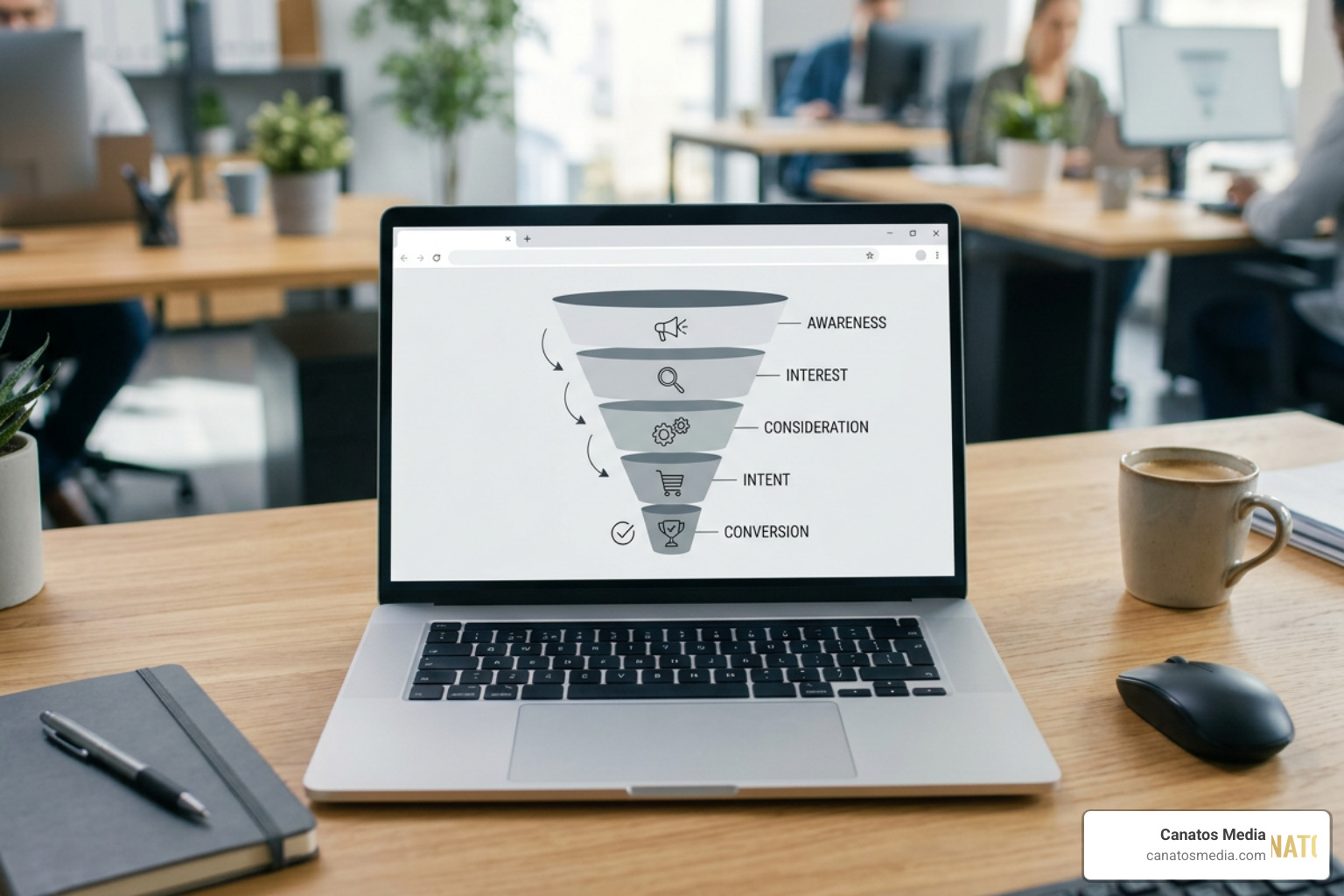
    • Customer Testimonials: Video ads featuring real people enjoy 3x higher engagement than those using stock imagery. Grab your smartphone, visit a happy customer, and film them talking about how you solved their problem.
    • Explainer Videos & Product Demos: Show your product or service in action. If you are an organizer, show a before-and-after. If you sell a physical product, show someone unboxing and using it.
    • FAQ Videos: Answer the top three questions you get during sales calls. This builds authority, saves your team time, and qualifies leads before they ever contact you.

    Geo-Targeting and Local Service Video Ads

    For local service businesses, general marketing is a waste of money. You do not care if someone in California sees your ad if you only service Suffolk County, Long Island. This is where hyper-local geo-targeting comes in.

    Using Meta and Google Ads, you can set a tight radius (e.g., 5 to 15 miles) around your business location or target specific zip codes. To maximize the ROI of these campaigns, your video creative must match your targeting. Mentioning local landmarks, referencing neighborhood-specific issues (like local winter weather or beach-town summer rushes), and showing your trucks on recognizable local streets builds instant credibility.

    In fact, 73% of consumers are more likely to hire a local business they have seen on video. If you are ready to dial in your local reach, explore our actionable tips on How to Optimize Short-Form Video Ads for Local Lead Generation.

    From Views to Revenue: Distribution and Measurement

    Getting views is great for the ego, but views do not pay the bills. To turn video views into actual revenue, you need a robust distribution and tracking system.

    First, install tracking pixels (like the Meta Pixel and Google Tag) on your website. Because of modern privacy changes, browser-only pixels can lose 30% to 60% of attribution data. We highly recommend setting up server-side tracking (such as the Meta Conversions API) to ensure you are accurately tracking every lead.

    This setup allows you to build retargeting audiences. Roughly 95% of first-time viewers will not convert. However, retargeted visitors are 70% more likely to convert than first-time viewers. You can build a custom audience of people who watched at least 50% of your initial video ad and serve them a secondary “social proof” ad featuring a customer testimonial.

    Platform Average CPM (Cost per 1k views) Primary Intent Best Video Aspect Ratio
    Meta (FB/IG) $8 – $22 Social Discovery / Interrupt 9:16 (Reels), 4:5 (Feed)
    YouTube $0.03 – $0.10 (per view) Search Intent / Educational 16:9 (Horizontal), 9:16 (Shorts)
    TikTok $6 – $15 Entertainment / Trends 9:16 (Vertical)

    To see how we map out this entire journey, read about How We Turn Video Views into Real Revenue for Service Businesses.

    How to Produce Professional Video Ads on a Budget

    Many small business owners hold back because they think they need a professional camera, expensive lighting, and a soundproof studio. The truth? Your smartphone is more than capable of shooting a high-converting video ad. Audiences in 2026 crave authenticity over polished, corporate-style productions.

    To get started, follow these simple production rules:

    1. Lighting is Key: You do not need expensive lights. Stand in front of a large window to use soft, natural daylight. If you must shoot indoors without natural light, a budget-friendly ring light will keep your face clear and shadow-free.
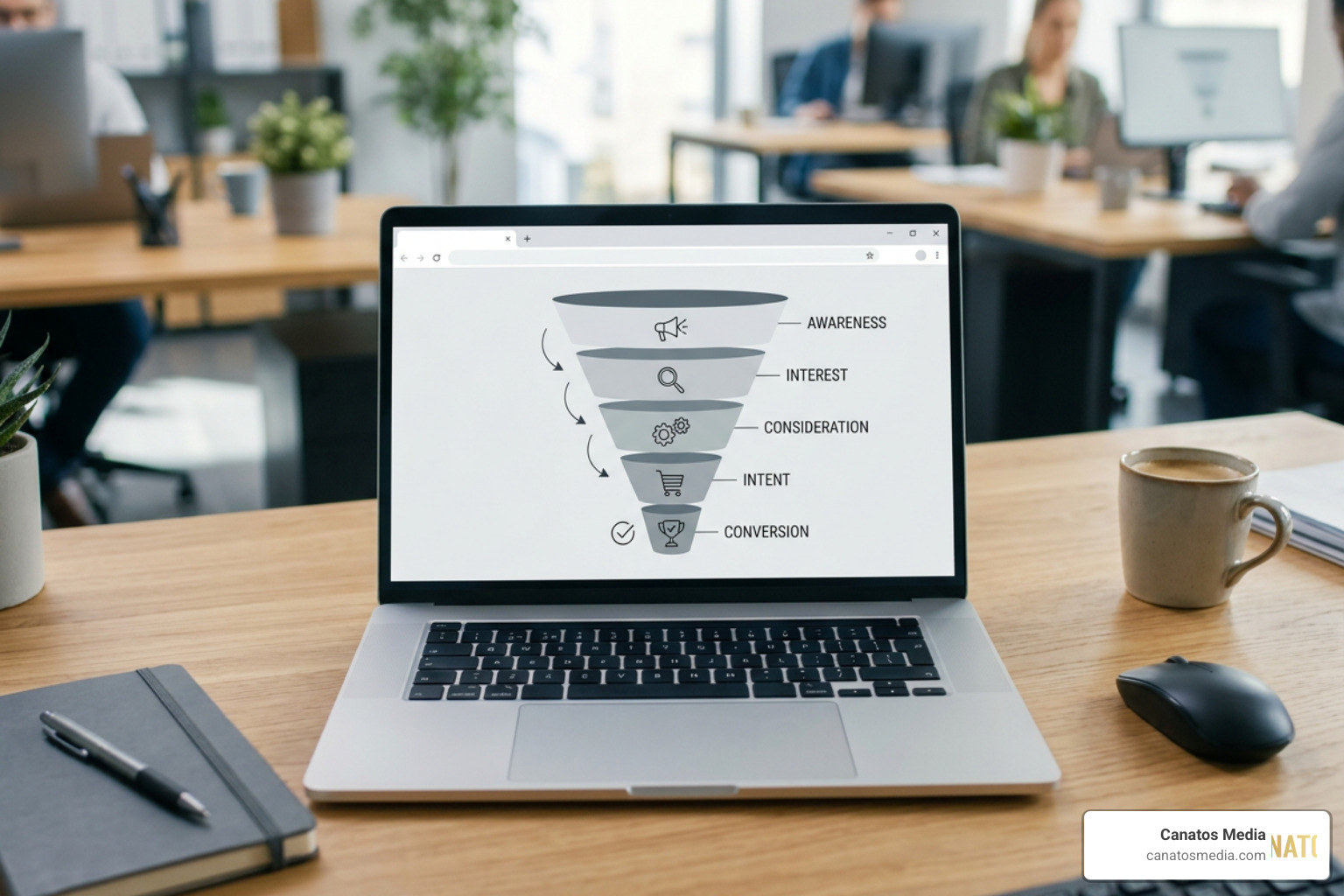
    2. Prioritize Audio Quality: People will watch a video with average picture quality, but they will instantly swipe away if the audio is scratchy or echoey. Invest $20 to $40 in a clip-on lavalier microphone that plugs directly into your smartphone.
    3. Keep It Steady: Use a cheap tripod or prop your phone up against a stable surface to avoid shaky, handheld footage.
    4. Speak Naturally: Write a loose outline instead of reading a script word-for-word. Speak as if you are talking to a single customer sitting across from you.

    For a deeper dive into why authentic, high-quality video production drives modern leads, check out our guide on Why Video Production is the Key to Modern Lead Generation for Service Businesses.
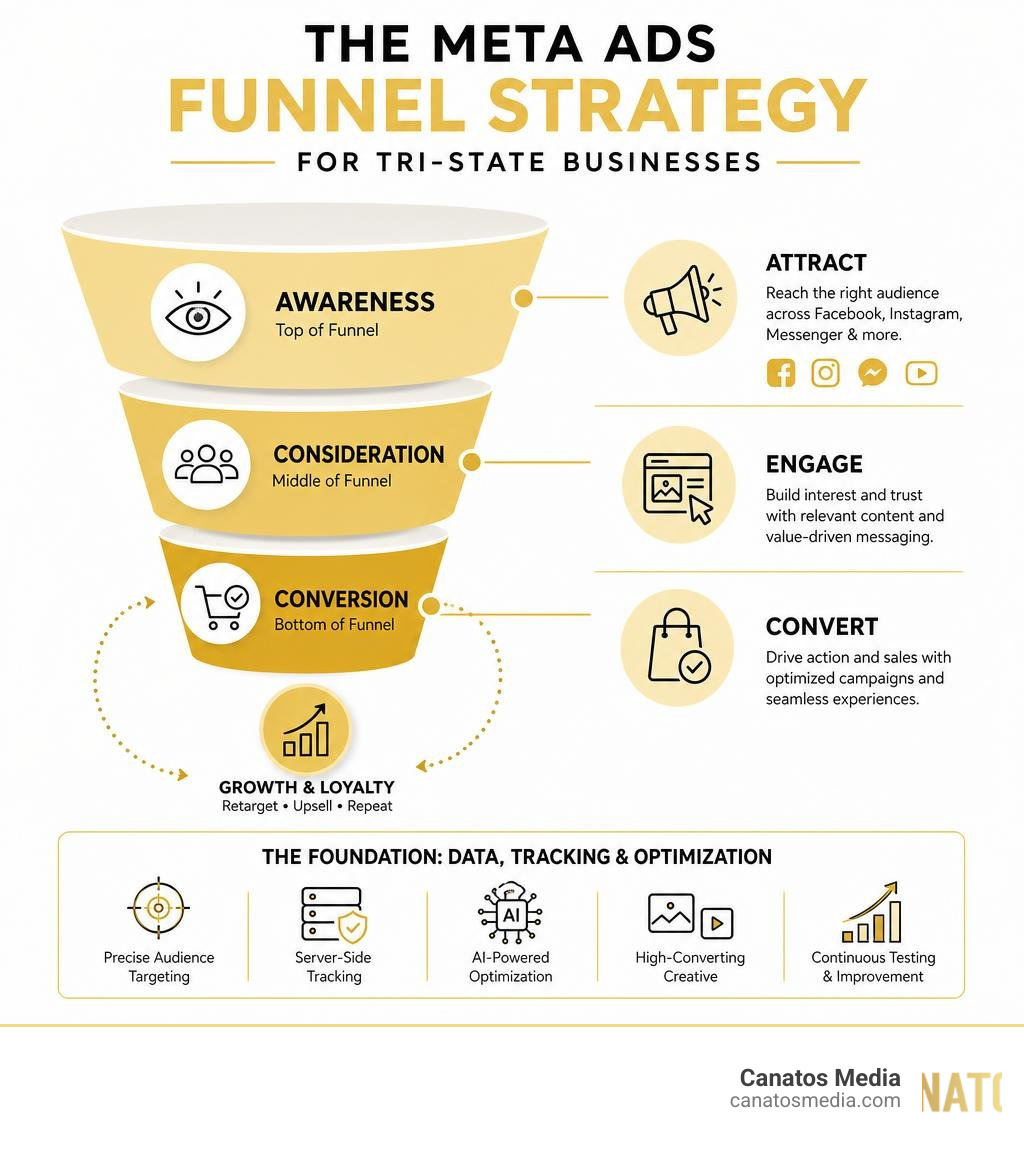
    Leveraging AI Tools for Video Advertising for Small Business

    If you are short on time, artificial intelligence can speed up your production workflow. Today’s AI tools can help you write, edit, and optimize your video ads in minutes:

    • AI Scriptwriting: Tools like ChatGPT or Claude can draft highly engaging ad scripts based on your specific business details, target audience, and offer.
    • Automated Captioning: Since up to 85% of social media videos are watched with the sound turned off, captions are mandatory. AI editing tools can automatically generate highly accurate, stylized captions in seconds.
    • Smart Video Editors: Platforms can take your raw smartphone footage, trim out the “umms” and pauses, apply color correction, and balance your audio levels automatically.
    • B-Roll and Image Generators: If you need a quick visual element but do not have the footage, AI tools can generate realistic product showcases or motion graphics from a simple text prompt or product photo.

    Measuring Video Campaign ROI

    To know if your video ads are actually working, you must look past “vanity metrics” like likes or shares. Instead, focus on these three critical performance indicators:

    • Hook Rate (3-Second Video View Rate): The percentage of people who watched the first 3 seconds of your video. If this is low (under 30%), your intro hook is not interesting enough.
    • Hold Rate (Average View Duration): How long people stay tuned. This tells you if your core message is engaging.
    • Cost Per Lead (CPL) & Booked Appointments: The actual marketing dollar amount spent to acquire a qualified lead or a booked service call.

    To set up a reliable tracking framework for your business, read our step-by-step guide on How to Measure Video Campaign ROI from Social Views to Booked Appointments.

    Frequently Asked Questions about Video Advertising

    What is the minimum monthly budget for small business video ads?

    You do not need thousands of dollars to start. We recommend these two realistic budget tiers:

    • Local Awareness: $150 to $500 per month. This is perfect for reaching a tight local service area (5 to 10 miles) to keep your brand top-of-mind.
    • Direct Lead Generation: $1,500 to $4,000 per month. This budget level gives platform algorithms enough data to optimize your campaigns, find high-intent prospects, and consistently generate 20 to 80 qualified leads per month.

    Do I need to hire a professional agency to create video ads?

    Not always. If you are just starting out and have a very tight budget, DIY is a great way to learn. You can write your own scripts, film on your phone, and boost posts directly from your social media pages.

    However, as your business grows and your ad spend increases, managing campaigns, designing high-converting creative, and setting up advanced tracking APIs becomes a full-time job. Hiring a specialized partner makes sense when you want to scale your spend efficiently without wasting money on unoptimized ads. To see how professional short-form videos compare in driving real results, read How Cinematic Short-Form Video Drives Meta and Google Lead Generation.

    How do I prevent my video ads from causing ad fatigue?

    Ad fatigue happens when your target audience sees the exact same video ad too many times, causing your conversion rates to drop and your costs to rise. You can easily prevent this by:

    • Capping Frequency: Set frequency caps in your ad platforms so users only see your ad 3 to 4 times per week maximum.
    • Rotating Creatives: Produce 3 to 4 slight variations of your video ad (e.g., testing different 3-second hooks or different background music) and let the platform rotate them.
    • Updating Offers Seasonally: Swap out your creative assets every 4 to 6 weeks to keep your brand looking fresh and active.

    For real-world examples of how creative rotation keeps lead generation consistent, explore How Video-First Campaigns Drive Booked Appointments and Measurable ROI.

    Conclusion

    Video advertising for small business is the single fastest way to build trust, command attention, and grow your revenue in 2026. By combining authentic smartphone footage, clear local targeting, and strategic retargeting, you can compete directly with massive national brands — and win.

    At Canatos Media, we specialize in building integrated, video-first digital marketing strategies for growing businesses across Long Island and the Tri-state area. We handle everything from cinematic short-form video production and automated lead tracking to paid Meta and Google campaigns.

    Ready to stop wasting your ad spend and start turning video views into booked appointments? End-to-End Video Marketing: How We Drive Real Results for Growing Businesses and let’s build your custom video engine today.

  • A – Z Guide to Meta Ads Management Services

    A – Z Guide to Meta Ads Management Services

    Why Is Meta Ads Management Crucial for Businesses in 2026?

    The digital advertising landscape has undergone a massive transformation. In June 2026, simply pressing the “Boost Post” button on Facebook or Instagram is no longer a viable strategy; it is a guaranteed way to burn through your marketing budget. Navigating paid social media now requires a highly sophisticated, professional approach to achieve a positive return on ad spend (ROAS).

    Meta Ads Management Funnel: Awareness to Conversion

    Meta’s ecosystem remains an absolute powerhouse for global and local reach. The numbers speak for themselves:

    • Meta platforms reach over 3.6 billion monthly active users, with more than 77% of all internet users active on at least one of its platforms (Facebook, Instagram, Messenger, or WhatsApp).
    • Facebook alone boasts over 2.9 billion active users and remains one of the most powerful digital advertising platforms within Meta, offering businesses unmatched reach, precise targeting, and high engagement.
    • Instagram has more than 2 billion active users, with Reels and video content experiencing explosive watch-time growth of over 30% recently.

    Despite this massive audience, capturing attention has never been more difficult. In 2026, Meta’s ad delivery system relies heavily on advanced machine learning algorithms (such as the Andromeda AI engine) and automated campaign structures. At the same time, privacy regulations and browser-side tracking limitations (stemming from iOS 14.5 and the ongoing phase-out of third-party cookies) have made traditional tracking methods obsolete.

    Without professional management, businesses struggle with “creative fatigue,” incorrect campaign objectives, and broken tracking systems that miss up to 50% of conversions. Professional Meta Ads management ensures that your campaigns are built on a solid data foundation, utilizing server-side tracking and dynamic, high-converting creative assets. This systematic approach prevents wasted ad spend, allowing optimized, AI-powered Meta campaigns to regularly achieve a ROAS in the healthy 3x to 5x range.

    The Meta Ads Funnel Strategy for Tri-State Businesses infographic

    What Are Meta Ads Management Services and How Do They Work?

    At its core, professional Meta Ads management is the end-to-end administration, optimization, and creative development of paid advertising campaigns across Meta’s entire suite of applications. This includes:

    • Facebook: Feeds, Stories, Reels, Right Column, Marketplace, and In-Stream Video.
    • Instagram: Feed, Stories, Explore, Reels, and Shop.
    • Messenger: Sponsored messages and inbox ads.
    • WhatsApp: Click-to-WhatsApp ads that initiate direct conversations.
    • Audience Network: Digital ad placements on external mobile apps and websites.

    Professional management services do not just involve “running ads.” They encompass a continuous engineering loop divided into four core components:

    1. Strategic Planning & Funnel Architecture: Mapping out the customer journey. We design full-funnel strategies that move users from cold awareness (prospecting) to mid-funnel consideration (engagement/lead generation) to bottom-funnel conversion (sales/retargeting).
    2. Creative Production & Copywriting: Building visual assets—specifically cinematic short-form videos, user-generated content (UGC), and high-impact carousels—paired with persuasive, brand-aligned copy.
    3. Media Buying & Algorithmic Optimization: Setting up campaigns within the ad auction, configuring bidding strategies (such as Cost Cap or Value Optimization), and letting Meta’s AI optimize delivery.
    4. Tracking & Data Infrastructure: Installing and maintaining the technical tools required to feed accurate data back to Meta’s algorithm.

    These campaigns are managed using two primary platforms: Meta Business Suite and Meta Ads Manager. While Meta Business Suite acts as a centralized dashboard for organic content and basic business operations, Meta Ads Manager is the heavy-duty workspace where media buyers build, test, and scale campaigns.

    To understand how these platforms operate, you can read our guides on Mastering Meta Business Suite Ads Manager for Beginners and How to Navigate Meta Ad Manager Like a Pro. For the official platform documentation, you can explore the Marketing Tools and Advertising Solutions on Facebook and … – Meta resource page.

    What Are the Different Meta Ads Management Options Available to Businesses?

    When deciding how to manage your Meta advertising, you have four primary paths. Each option has distinct trade-offs regarding cost, time commitment, creative capability, and scalability.

    Comparison Matrix: DIY vs Agency vs Freelancer vs AI

    Management Option Typical Monthly Cost Time Commitment Creative Production Best Suited For
    DIY (Self-Service) $0 (Only ad spend) Very High (15-25 hrs/week) Limited (Canva templates, basic photos) Startups spending under $1,500/month
    Freelance Specialists $500 – $2,000/month Low Variable (Often requires you to provide assets) Small businesses with simple lead-gen needs
    AI-Powered Automation $200 – $1,200/month Low None (Relies on existing assets) E-commerce brands looking for basic optimization
    Professional Agency $2,000 – $15,000+ (or % of spend) None High (Cinematic video, UGC, design) Businesses spending $3,000+/month seeking scale

    1. DIY Self-Management

    Managing campaigns yourself is highly cost-effective for businesses in their infancy. However, it requires a steep learning curve. Business owners often find themselves spending 15 to 25 hours a week troubleshooting technical issues, writing copy, and analyzing data, which pulls them away from running their actual business.

    2. Freelance Specialists

    Hiring a freelance media buyer can bridge the gap between DIY and an agency. Freelancers are often highly skilled in technical setup and bid management. However, they rarely have the resources to handle high-end creative production, meaning you will still need to supply them with videos, images, and copy.

    3. AI-Powered Automation Tools

    AI tools offer a middle ground by automating bid adjustments, audience expansion, and basic budget allocation. While excellent for technical efficiency, these tools cannot build a cohesive brand strategy, write emotionally resonant copy, or produce cinematic video content.

    4. Professional Digital Marketing Agencies

    A full-service agency provides an integrated, “done-for-you” solution. Agencies handle everything from technical tracking and media buying to high-end creative production and strategic positioning.

    When Should You Transition to an Agency?

    If your monthly ad spend exceeds $1,500 to $3,000, transitioning to professional management is highly recommended. Below this spend level, the data volume is often too low for Meta’s algorithm to exit its “learning phase” efficiently, and errors in targeting or tracking can quickly drain your budget.

    At Canatos Media, we provide an integrated agency solution specifically tailored for businesses in the Tri-State area and Long Island. We don’t just push buttons in Ads Manager; we align your high-end cinematic short-form video content with advanced paid social strategies to build a sustainable customer acquisition engine. You can explore our full range of services in our Category Ad Management section.

    How Do Professional Agencies Optimize Targeting and Ad Creatives?

    In 2026, the old way of laser-targeting specific interests—such as trying to target “32-year-old females in Long Island who love green smoothies and yoga”—is dead. Hyper-targeting restricts Meta’s machine learning, driving up cost-per-thousand-impressions (CPMs) and preventing campaigns from scaling.

    Today, professional agencies rely on algorithmic targeting through tools like Advantage+ Audience and Andromeda AI. We feed Meta’s algorithm a broad audience, and the machine uses real-time behavioral signals to find the exact users most likely to convert.

    Because targeting has become automated, your ad creative is now your primary targeting tool. The visual hook, the messaging, and the aesthetic style of your ad determine who stops scrolling and who gets bypassed.

    High-Performing Cinematic Short-Form Video Structure

    To optimize ad creatives, professional agencies focus on:

    • Cinematic Short-Form Video & UGC: Highly polished, cinematic short-form video combined with authentic, user-generated content (UGC) style ads outperform traditional corporate commercials. They feel native to platforms like Instagram Reels and TikTok, capturing attention without feeling like an aggressive sales pitch. To see how we execute this, read How Cinematic Short Form Content Improves Meta Paid Ad Performance and learn How to Scale Short Form Ad Creative Across Meta and Google Ads.
    • The 3-Second Hook: The first three seconds of a video ad determine 50% of its success. Agencies test multiple “hooks” (both visual and text-based) to see what stops the scroll.
    • Structured A/B Testing: We use a systematic testing framework. Instead of guessing, we launch “concepts” (a single creative idea) with three distinct variations (different hooks, background music, or call-to-actions). We set strict financial cut-offs: if an asset does not hit our target key performance indicators (KPIs) within a set budget, we cut it and scale the winners.

    For a deeper look at how these creative and structural elements work together in modern campaigns, you can watch The COMPLETE Meta Tutorial (Meta Ads, Meta Business … – YouTube .

    How Do Agencies Handle Tracking, Budgeting, and Compliance?

    Behind every beautiful ad creative lies a complex technical infrastructure. Professional agencies manage three critical pillars to ensure your campaigns run smoothly: tracking, budget optimization, and policy compliance.

    1. Server-Side Tracking (Conversions API)

    Ever since Apple introduced iOS 14.5, browser-based tracking (the traditional Meta Pixel) has lost its reliability, frequently missing 30% to 50% of conversion events. To combat this, agencies implement the Meta Conversions API (CAPI).

    CAPI creates a direct, server-to-server connection between your website and Meta. This ensures accurate attribution, improves your Event Match Quality, and feeds clean data back to Meta’s AI. This technical upgrade alone can drop your cost-per-result by 15% to 40%. If you are still relying solely on the browser pixel, you are likely wasting a significant portion of your budget. Learn how to fix this in our guide on how to Stop Burning Cash on Bad Meta Ads.

    2. Budget Optimization Strategies

    Agencies utilize two primary budgeting methods depending on the campaign’s maturity:

    • Campaign Budget Optimization (CBO): Meta automatically distributes your budget across different ad sets in real time, favoring the highest-performing audiences.
    • Ad Set Budget Optimization (ABO): The budget is locked at the ad set level, which is ideal for controlled A/B testing of specific audiences or creative concepts.

    When scaling budgets, agencies avoid making massive, sudden budget increases. Raising a budget by more than 20% to 30% at once can trigger a “learning phase reset,” forcing Meta’s algorithm to restart its optimization process from scratch. We scale budgets incrementally every week to maintain stable performance.

    3. Compliance and Advertising Standards

    Meta enforces strict Advertising Standards to protect its users. Getting your ad account flagged or disabled can paralyze your business. Agencies ensure strict compliance by avoiding prohibited content (such as deceptive claims, low-quality landing pages, or clickbait) and navigating restricted categories (like housing, employment, finance, or social issues) which require special ad category declarations and age targeting restrictions.

    How Much Do Meta Ads Management Services Cost in 2026?

    Understanding the total cost of Meta advertising requires looking at both platform costs (what you pay Meta to show your ads) and management costs (what you pay an agency or tool to run them).

    Meta Ads 2026 Budget Allocation Breakdown infographic

    2. Platform Benchmarks (June 2026)

    • Median Cost Per Click (CPC): $1.12 (up roughly 8% year-over-year)
    • Average Cost Per Thousand Impressions (CPM): $12.50
    • Cost Per Lead (CPL): Ranges from $25 in e-commerce to $180+ in highly competitive B2B or financial services.

    2. Agency Pricing Models

    Agencies generally charge using one of three structures:

    • Flat Monthly Fee: A predictable monthly retainer (typically starting around $1,500 to $5,000+ depending on scope). We strongly advocate for flat fees because they eliminate the conflict of interest inherent in other models; we want to focus on growing your revenue, not just inflating your ad spend.
    • Percentage of Ad Spend: The agency charges a fee (usually 15% to 25%) of your total monthly ad budget, often with a minimum base fee of $2,000.
    • Performance-Based / Hybrid: A lower base fee combined with a percentage of generated revenue or leads (typically 10% to 20% of the return).

    3. Hidden Costs to Keep in Mind

    When planning your budget, platform spend and management fees are only part of the equation. You must also account for:

    • Creative Production: High-quality video and design assets can cost between $1,000 and $8,000+ per month if sourced externally.
    • Software Subscriptions: Third-party tracking, attribution tools, and creative software can add $200 to $1,200/month.
    • Testing Budgets: You should allocate 20% to 40% of your initial budget purely to testing hooks, angles, and audiences.

    For a comprehensive breakdown of budgeting and pricing structures, read our Meta Ads Management Ultimate Guide.

    How Do Meta Ads Integrate With Your Broader Digital Marketing Strategy?

    Meta Ads do not operate in a vacuum. To maximize your return on investment, paid social must be integrated into a holistic, multi-channel digital marketing strategy.

    The Synergy Between Meta and Google Ads

    One of the most powerful digital marketing combinations is pairing Meta Ads with Google Ads.

    • Meta Ads Create Demand: Social media is a discovery engine. Users scrolling through Instagram Reels aren’t actively shopping; your creative interrupts their scroll and introduces a desire or solution they didn’t know they needed.
    • Google Ads Capture Demand: Once a user is introduced to your brand on Meta, they often open a new tab and search for your business or product on Google. If you do not have search ads or strong SEO in place, your competitors will capture that high-intent traffic.

    We call this the “handshake” between paid social and paid search. You can read more about this powerful combination in our guide on Meta Google Advertising.

    Integrating with SEO, Content, and Email Marketing

    An integrated strategy connects all digital touchpoints:

    • SEO & Content: High-performing organic blog posts and website content provide excellent landing pages for your Meta campaigns. Conversely, data from your paid ads can reveal which headlines and topics get the highest click-through rates, guiding your organic content strategy.
    • Email Marketing: Meta lead generation campaigns are highly effective for building your email list. Once a user opts in, automated email sequences can nurture those leads, driving down your overall customer acquisition cost (CAC).

    To see how these channels work together step-by-step, review our Step-by-Step Guide to Paid Ads and explore The Ultimate Guide to Social Media Ads.

    What Are the Most Frequently Asked Questions About Meta Ads Management?

    What is the minimum budget required to start with Meta Ads?

    While Meta technically allows you to run ads for as little as $1 per day per ad set, a practical budget for businesses looking to grow is at least $30 to $50 per day ($900 to $1,500 per month) for testing, and $50 to $150+ per day for active sales or lead generation campaigns.

    Accounts spending under $30 per day often experience 40% to 60% higher costs per result. This happens because the budget is too small to generate the volume of conversion data (ideally 50 conversions per week per ad set) that Meta’s algorithm needs to optimize and exit the learning phase.

    How long does it take to see results from professional Meta Ads management?

    We recommend evaluating Meta campaigns on a 90-day optimization timeline:

    • Weeks 1–2 (Onboarding & Setup): Installing the Conversions API, auditing past data, and producing initial creative assets.
    • Weeks 3–4 (Testing & Learning): Launching initial campaigns. Actionable data begins to accumulate as the algorithm tests different creative hooks and audiences.
    • Weeks 5–8 (Optimization): Turning off underperforming creatives, scaling winning ad sets, and refining the retargeting funnel.
    • Weeks 9–12 (Iterative Scaling): Consistently growing the budget on winning concepts while maintaining a stable ROAS.

    Why is my Meta ad account getting rejected, and how do I fix it?

    Ad rejections typically occur due to violations of Meta’s Advertising Standards. Common culprits include:

    • Deceptive or Exaggerated Claims: Promising unrealistic results (e.g., “lose 10 pounds in 3 days” or “double your income overnight”).
    • Low-Quality Landing Pages: Your ad must match the destination page. If your landing page is slow, broken, or covered in pop-up ads, Meta will reject the ad.
    • Personal Attributes: You cannot imply that you know a user’s personal characteristics (e.g., “Are you struggling with debt?” or “As a 40-year-old woman…”).

    If your ad is rejected, do not delete it. Go to the Account Quality dashboard in Meta Business Suite, review the specific policy violation, edit the ad to comply, or request a manual review if you believe the automated rejection was an error.

    How Can You Get Started With Meta Ads Management Today?

    Choosing the right Meta ads management option comes down to your current stage of business growth:

    • If you are spending under $1,500/month, start with a DIY approach or basic AI tools while focusing heavily on capturing authentic, raw smartphone video content.
    • If you are spending over $3,000/month and want to scale without spending dozens of hours managing campaigns, hiring a professional agency is the most effective path forward.

    At Canatos Media, we serve businesses across the Tri-State area and Long Island by providing a fully integrated marketing solution. We don’t believe in isolated strategies. We combine cinematic short-form video production, expert paid media management (Meta and Google), SEO, and website support to build cohesive, high-converting acquisition funnels.

    Ready to stop guessing and start scaling? Book a discovery call with Canatos Media today to see how we can turn your social presence into a powerful revenue engine.