
Why Meta Business Suite Is the Smartest Way to Manage Facebook and Instagram
Meta Business Suite is Meta’s free, all-in-one platform for managing your Facebook and Instagram business presence from a single dashboard — on desktop or mobile.
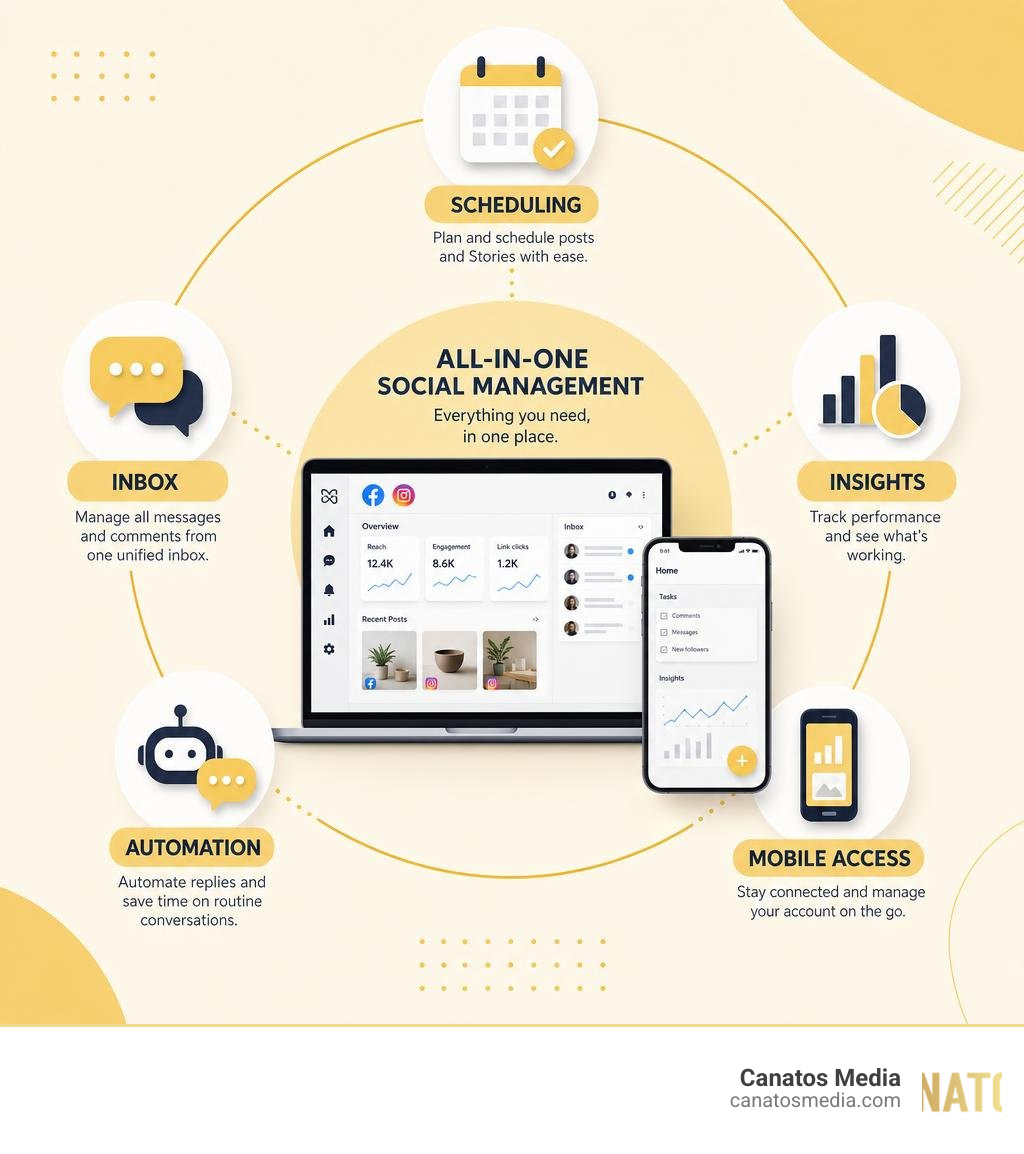
Here’s what it does at a glance:
- Create and schedule posts and Stories for Facebook and Instagram
- Manage all messages and comments from one unified inbox
- Automate replies to save time on routine customer questions
- Track performance with insights on posts, Stories, and ads
- Stay on top of tasks with a centralized notifications and to-do list
If you’re running a local business and trying to juggle Facebook and Instagram at the same time, you already know how quickly things fall apart. Posts go out late. Customer messages get missed. You have no clear picture of what’s actually working.
That’s exactly the problem Meta Business Suite was built to solve.
With over 100 million downloads on Google Play alone — and a 4.7-star rating across nearly half a million App Store reviews — it’s clearly a tool that millions of business owners rely on every day. And for good reason: it brings your most important social media tasks into one place, so you spend less time platform-hopping and more time growing.
I’m Nic Canobbio, founder of Canatos Media, and after managing social content and paid campaigns across Meta platforms for clients in multiple industries, I’ve spent considerable time inside Meta Business Suite — learning exactly where it shines and where it falls short. In this guide, I’ll walk you through everything you need to know to use it effectively.
Simple meta business suite glossary:
What is Meta Business Suite and Who Is It For?
At its core, Meta Business Suite is a centralized platform designed to bring your Facebook Pages and Instagram professional accounts under one roof. Instead of logging into separate apps, switching profiles, and trying to remember where you left off, you get a single workspace. This workspace is built to streamline your workflow and make your digital marketing efforts far more efficient.
By linking your business assets, you can manage your organic content, interact with your audience, and run basic promotions without ever leaving the dashboard. To learn more about how Meta’s ecosystem fits together, you can explore the Marketing Tools and Advertising Solutions on Facebook and Instagram | Meta for Business portal, which outlines the broader scope of Meta’s business tools.
Target Audience and Business Support
Whether you are running a cozy coffee shop on Long Island or managing a multi-location brand across the tri-state area, Meta Business Suite is built to adapt to your scale:
- Small Businesses: If you are a team of one (or have a handful of employees wearing too many hats), this platform is a lifesaver. It allows you to schedule a week’s worth of content in one sitting, so you can get back to serving your customers.
- Content Creators: Creators can manage their brand partnerships, track which Reels are driving the most engagement, and interact with followers without getting distracted by their personal feeds.
- Large Enterprises & Agencies: For larger teams, the suite offers robust role permissions. You can assign specific access levels to employees or external agencies (like us!) to manage content and community moderation without hand over your master login credentials.
The platform is designed for resource allocation. By automating tedious tasks and putting your critical metrics in front of you, it frees up your schedule so you can focus on high-impact business decisions.
Core Features for Cross-Platform Management
Managing a modern digital presence requires constant content creation and swift customer interaction. Meta Business Suite acts as your central command center, optimizing your workflows so you never feel overwhelmed by the demands of maintaining two distinct social networks.
Scheduling Content with Meta Business Suite
One of the most powerful features of the meta business suite is its cross-platform publishing and scheduling engine. Instead of posting in real-time, you can plan your social calendar days, weeks, or even months in advance.
When you create a post or a Story, you can customize the text, hashtags, and links specifically for Facebook and Instagram. For example, you can add a clickable link to your Facebook post while keeping your Instagram caption clean and pointing users to your link-in-bio.
To see this in action, check out this guide on How To Use Meta Business Suite to Schedule Posts to Instagram … .
Planning your content ahead of time is especially important when you are producing high-quality media. We often emphasize how much visual quality matters; for instance, understanding How Cinematic Short Form Content Improves Meta Paid Ad Performance can help you design organic posts that transition beautifully into high-performing paid campaigns.
Unified Inbox and Automated Replies
Customer service can make or break a local business. If a potential client sends a message on Facebook Messenger or leaves a comment on an Instagram Reel, they expect a quick response.
The unified inbox in Meta Business Suite aggregates:
- Facebook Messenger conversations
- Instagram Direct Messages (DMs)
- Comments on Facebook posts
- Comments on Instagram posts
To make things even easier, you can set up automated replies. These include “Instant Replies” (sent as soon as someone messages you), “Away Messages” (for when your business is closed), and custom automated responses for frequently asked questions (like your hours, location, or pricing).
By streamlining these interactions, you improve your customer service efficiency dramatically. For a deeper look at how to leverage these messaging tools, read about The Best Way to Utilize Meta Business Suite to Run Your … – Reamaze .
Analyzing Performance in Meta Business Suite
You can’t improve what you don’t measure. The Insights dashboard in Meta Business Suite gives you a clear, side-by-side view of how your content is performing on both platforms.

Within the dashboard, you can track:
- Audience Demographics: See exactly who is following you, including their age, gender, and top locations in the tri-state area.
- Post Reach & Engagement: Learn which posts, Reels, and Stories are getting the most eyes and interactions.
- Ad Performance: Get basic overviews of how your boosted posts and simple ad campaigns are performing.
Understanding these metrics is vital, especially when trying to generate local leads. For example, knowing How to Optimize Short Form Video Ads for Local Lead Generation relies heavily on monitoring your reach and engagement data to see which creative hooks resonate most with your local audience.
Mobile App Performance and Platform Comparison
While the desktop version of Meta Business Suite is perfect for deep-dive planning and detailed analytics, the mobile app is designed for on-the-go updates. Whether you’re snap-shooting a behind-the-scenes Story or replying to an urgent customer message from the field, the mobile experience is crucial.

Android vs. iOS Features and Ratings
The mobile experience can vary slightly depending on your device’s operating system. Both platforms offer the core suite of tools, but user ratings and feedback show some interesting differences.
| Metric / Feature | Android (Google Play) | iOS (App Store) |
|---|---|---|
| Average Rating | 4.4 out of 5 stars | 4.7 out of 5 stars |
| Total Reviews / Ratings | ~4.99 Million reviews | ~472,000 ratings |
| Total Downloads | 100 Million+ | N/A (App Store does not publicize downloads) |
| International Ratings | High volume of global users | 4.6 stars (Switzerland), 4.8 stars (Bolivia) |
| Core Features | Scheduling, inbox, insights, real-time calls | Scheduling, inbox, insights, real-time calls |
| App Size | Varies by device | ~315 MB (requires iOS 15.1 or later) |
To download the app or read more user reviews for Apple devices, visit the Meta Business Suite App – App Store page.
Common User Complaints and Technical Issues
Despite its high ratings, the mobile app is not without its flaws. Social media managers and business owners frequently report a few common technical bugs in recent app reviews:
- Notification Delays: Some users report that they do not receive push notifications for new messages or comments in real-time, forcing them to open the app and refresh manually.
- Sync Errors: Occasionally, the app may struggle to sync scheduled posts between the mobile and desktop versions, causing temporary panic about whether a post will actually go live.
- App Crashes: Following major software updates, some users experience sudden app crashes, particularly when trying to upload high-resolution video files or managing multiple accounts.
- Login Issues: Security protocols can sometimes trigger loop logins, where the app repeatedly asks for verification codes or fails to connect to linked Instagram accounts.
Privacy, Recent Updates, and Complementary Tools
As digital privacy regulations tighten and platforms evolve, staying compliant and up-to-date with Meta’s technical ecosystem is essential for keeping your business accounts running smoothly.
App Store Privacy and Data Collection Practices
According to the official App Store privacy disclosures, Meta Business Suite collects a significant amount of user data to power its business tools and ad networks. This collection is standard across Meta’s app family but is worth noting for privacy-conscious business owners.
Data collected and linked to your identity may include:
- Financial and Purchase Info: Used primarily when you run ads or manage shop features.
- Location Data: To help target local audiences and provide localized insights.
- Contact Info & Contacts: To help connect your business network.
- Usage & Diagnostic Data: To monitor app performance, track crashes, and improve user experience.
Recent App Updates and Feature Improvements
Meta frequently updates the suite to make managing your business easier. As of our current date in June 2026, several major improvements have rolled out:
- Side-by-Side Content Report: You can now view organic post metrics and paid ad performance side-by-side in real-time, making it incredibly easy to see if a top-performing organic post is worth boosting.
- Enhanced Calendar View: The content calendar has been upgraded to show published, scheduled, and draft content in a much cleaner, drag-and-drop monthly grid.
- Real-Time Call Feature: Businesses can now make real-time audio calls to customers directly through the inbox interface, simplifying lead follow-ups.
Complementary Tools for Advanced Advertisers
While Meta Business Suite is fantastic for organic management and basic post boosting, serious advertisers will eventually outgrow its simplified ad creation tools.
If you are looking to scale your business with paid campaigns, we highly recommend integrating these complementary tools:
- Meta Ads Manager: This is where the real magic happens. It offers advanced targeting, custom audience building, A/B testing, and deep funnel optimization. If you are new to the platform, check out our guide on Mastering Meta Business Suite Ads Manager for Beginners and our comprehensive Meta Ads Management Ultimate Guide to get started.
- Meta Blueprint: Meta’s free educational resource that offers courses and certifications to help you master digital marketing across their platforms.
To avoid costly mistakes when transitioning to paid advertising, we also recommend reading our guides on how to Stop Burning Cash on Bad Meta Ads and how to Stop the Scroll and Start the Toll with Meta Paid Ads.
Frequently Asked Questions
How do I schedule posts on both Facebook and Instagram simultaneously?
To schedule posts simultaneously, open the Meta Business Suite dashboard (or mobile app) and click Create Post. In the “Placements” section at the top, check the boxes for both your Facebook Page and your Instagram account. Write your caption, upload your media, and then select Schedule instead of publishing immediately. You can choose different dates and times for each platform if you want to optimize for when your specific audiences are most active.
What is the difference between Meta Business Suite and Meta Ads Manager?
Meta Business Suite is primarily designed for organic social media management, community engagement (inbox), and basic page administration. Meta Ads Manager is a separate, highly advanced tool built specifically for creating, managing, and scaling paid advertising campaigns with complex targeting, budgeting, and placement options.
Is Meta Business Suite free to use?
Yes! Meta Business Suite is a completely free tool provided by Meta. There are no subscription fees or hidden costs to use any of its organic management, scheduling, inbox, or insight features. You only pay if you choose to run paid advertising campaigns or boost your posts.
Conclusion: Strategic Growth with Canatos Media
Mastering the meta business suite is one of the fastest ways to take back control of your time and build a consistent online presence on Facebook and Instagram. By scheduling your content, automating your customer service, and keeping a close eye on your analytics, you transition from reactive posting to proactive brand building.
However, consistent digital growth requires more than just scheduling posts. To truly stand out—especially in competitive markets like Long Island and the broader tri-state area—you need an integrated strategy that connects high-quality content with precision targeting.
At Canatos Media, we specialize in creating cinematic short-form videos, managing social media channels, running high-ROI paid ad campaigns (Meta and Google), and optimizing your website’s SEO. We don’t just post to post; we connect content, targeting, and conversions to drive measurable growth for your business.
Ready to stop guessing and start scaling? Explore our Meta Google Advertising services today, and let’s build an advertising engine that turns local clicks into loyal customers.
Visit Canatos Media to supercharge your digital growth today!